

Yes, automating property documents cuts manual work, reduces errors and creates auditable signing flows. Property managers who map their high-volume templates first, such as tenancy agreements and renewal notices, see the fastest gains in approval speed and audit reliability. Platforms like Prop Report now build this kind of automation directly into daily reporting and CRM workflows.
TL;DR:
- Automating property documents significantly reduces errors and manual effort, especially for high-volume templates like lease agreements and renewal notices.
- Proper implementation involves mapping current workflows, standardizing templates, connecting data sources, and running pilot tests before scaling.
- Legal compliance standards, such as HM Land Registry's validation checks and audit trail requirements, are essential for trustworthy e-signatures and registration submissions.
- Starting with automation in owner reporting and rent notices yields faster benefits, as these involve repetitive tasks with structured data.
- Vendors offering integrated platforms like Prop Report provide secure, compliant, and scalable automation options suited for growing property portfolios.
Table of Contents
- What document automation means for property managers
- Key benefits for property management teams
- Which property documents and processes you can realistically automate
- Step-by-step implementation: how to roll out document automation in your operation
- Integration, data security and compliance: what to check
- How to choose the right approach and vendor category
- Common challenges and solutions in adopting document automation
- Case studies or real-world examples in property automation
- Future trends and advancements in document automation for property
- Author perspective: pragmatic adoption for property teams
- How Prop Report helps property teams automate document workflows
- Sources
- FAQ
What document automation means for property managers
Document automation replaces manual drafting and re-keying with systems that generate, populate and route paperwork using data you already hold. In property management, that means a tenancy agreement pulling tenant details straight from your CRM rather than someone typing them in twice. Intelligent document automation goes further, combining templates with rules-based logic, data extraction and electronic signature flows so a document can be created, checked and signed with minimal manual touch.
This is different from simple document storage or manual e-signing. Storing PDFs in a shared drive does not stop someone retyping a name incorrectly, and manual e-signing still needs someone to prepare, send and chase each document by hand.
Automation typically sits across several layers of your technology stack:
- Your property management system (PMS), which holds tenancy, property and financial data.
- Your CRM, which tracks landlord and tenant communications.
- An e-signature layer, which captures signed consent with a verifiable audit trail.
- Accounting software, which needs accurate, timestamped records for statements and compliance.
When these layers talk to each other, a lease renewal can move from trigger to signed document without anyone opening a blank template.
Key benefits for property management teams
The case for automation rests on four measurable gains, not just convenience.
- Time savings: fewer re-keying steps mean tenancy agreements, renewal letters and arrears notices go out faster, with approvals happening in hours rather than days.
- Accuracy and risk mitigation: consistent clauses across every document reduce the kind of inconsistency that leads to disputes or requisitions during conveyancing-adjacent processes.
- Compliance and auditability: automated platforms generate timestamped signatures and traceable audit trails, which matter when a tenancy dispute or a registration query surfaces months later.
- Operational scalability: once templates and data flows are set up, adding another 50 properties does not mean adding proportional admin headcount.
Poor manual processes can cost property managers dearly: Prop Report notes that inefficiencies in managing multiple properties can lead to annual losses of over a substantial amount of money per manager; a figure the company cites in explaining why it built automated reporting and CRM integration into its platform. That scale of loss usually comes from small, repeated inefficiencies: a missed renewal date, a duplicated data entry error, a delayed statement to a landlord.
Which property documents and processes you can realistically automate
Not every document benefits equally from automation. Start with the ones you handle most often and where errors carry the highest cost.
- Tenant onboarding: ID verification, tenancy agreements and inventory reports can be generated and checked with minimal manual input once the initial data is captured.
- Lease generation and renewals: templates populate automatically from tenancy data, with conditional clauses adjusting for rent changes, break clauses or property-specific terms.
- Rent-related documents: demand letters, payment receipts and arrears notices follow predictable triggers and are strong early candidates.
- Conveyancing-adjacent tasks and maintenance workflows: document handovers, completion paperwork and maintenance request logs benefit from consistent formatting and clear timestamps.
- Owner communications and reporting: landlords receive scheduled statements and updates without a property manager compiling figures by hand each month.
The common thread is repetition. If you are producing the same document shape dozens of times a month with only the data changing, it is a strong automation candidate.
Step-by-step implementation: how to roll out document automation in your operation
A phased rollout avoids the disruption that comes from automating everything at once.
- Map current document flows: identify which templates you produce most often and where errors or delays tend to happen.
- Decide the automation scope: choose whether you need document generation, data extraction, approval routing, e-signatures, or a combination.
- Standardise templates: consolidate variations into a single approved version per document type, and get legal sign-off where the document has contractual weight.
- Connect data sources: link your PMS, CRM and accounting software so fields populate automatically rather than requiring manual entry.
- Configure signing and approval flows: set who approves what, and make sure the platform preserves the original signed document within itself rather than exporting a static copy.
- Pilot, measure and iterate: run the new flow on one property type or region first, track time saved and error rates, then scale once it is stable.
Pro Tip: Pilot with your highest-volume, lowest-risk document first, such as rent receipts, before automating anything with legal weight like tenancy agreements.
Most property businesses see a working pilot within a few weeks of connecting their first data source, though the timeline depends on how much template standardisation is needed beforehand. Legal sign-off tends to be the step teams underestimate: a clause that has always been fine in a manually drafted document may need review once it is embedded in a template that fires automatically.
Integration, data security and compliance: what to check
Property documents carry legal weight, so the platform you choose needs to satisfy more than operational convenience.
From autumn 2025, HM Land Registry requires software connected to its Digital Registration Service to run validation checks that confirm mandatory documents are attached and that key fields, such as borrower names, charge dates, property addresses and title numbers, match across submission documents. Any omission gets flagged and must be corrected before the submission is accepted.
Where electronic signatures are involved, HM Land Registry's practice guide 82 sets out the audit-trail requirements a signing platform must meet, including one-time password verification, timestamping and a clear record that the document stored in the platform represents the original. HM Land Registry does not endorse specific platforms, so it is your responsibility to check that the audit output meets these standards.
A compliant platform should produce:
- One-time password verification events tied to each signatory.
- Timestamps for every stage of document creation, review and signing.
- IP address logs for signing sessions.
- A completed field log showing what data was entered and when.
ISO 27001 certification is a widely recognised standard for information security management, and it is worth asking any vendor whether they hold it and what their data retention policy looks like. During a pilot, request a sample audit report and completion certificate to confirm the platform's output would satisfy a registration or dispute review.
How to choose the right approach and vendor category
Rather than starting with a vendor shortlist, start with the shape of automation you need.
- Template-and-sign platforms suit teams that mainly need consistent document generation with e-signature capture.
- Workflow automation platforms suit teams that need approval routing across multiple people before a document is finalised.
- PMS-integrated modules suit teams that want automation built into the system they already use daily, avoiding duplicate data entry.
- Robotic process automation (RPA) suits larger portfolios with high-volume, rules-based document processing that would otherwise need a dedicated administrator.
Whichever category you consider, ask about audit trail outputs, API support for your existing PMS and CRM, the onboarding process, and whether pricing is seat-based or usage-based. Internally, ask your compliance lead which documents carry legal risk if automated incorrectly, and get their sign-off before scope expands beyond low-risk templates. Onboarding typically takes longer where legal review is needed and shorter where documents are purely administrative.
Common challenges and solutions in adopting document automation
The most frequent obstacle is not the technology itself but inconsistent source data. If your PMS holds outdated tenant details or duplicate property records, automated documents will simply reproduce those errors faster. Cleaning up core data before connecting it to an automation platform avoids this.
A second challenge is resistance from staff who have built manual workarounds over years and do not trust a system to get clauses right. Running a visible pilot on a low-risk document type, and sharing the error rate and time saved, tends to build confidence faster than a mandate from management.
Legal uncertainty is a third recurring issue, particularly around documents with contractual or registration implications. Teams sometimes assume any e-signature is acceptable everywhere, when in fact the signing platform's audit trail needs to meet specific standards for documents heading towards registration. Involving a conveyancer or legal adviser early, rather than after a dispute, avoids costly rework.
Finally, integration gaps between older PMS software and newer automation tools can stall a rollout. Where a direct integration is not available, many teams find that starting with a smaller connected data set (rent and tenancy records, for example) still delivers useful automation without needing every system to talk to every other system on day one.

Case studies or real-world examples in property automation
Property businesses that automate owner reporting tend to report the clearest early wins, because monthly statements are repetitive, time-sensitive and easy to measure against a "before" state. A management company handling several hundred units, for instance, can move from a team member compiling landlord statements manually each month to a system that pulls data directly from the PMS and accounting software and issues statements on a fixed schedule.
Renewal and rent-related documents show a similar pattern. Where arrears notices or renewal letters previously depended on someone noticing a date on a spreadsheet, an automated trigger tied to the tenancy record removes that dependency and reduces the number of missed or late notices.
The pattern across these examples is consistent: automation delivers the most visible benefit where a document was already being produced in volume, following a predictable structure, with data already sitting in a connected system. Portfolios that automate first, then expand data connections, tend to see smoother adoption than those that try to connect every system before automating a single document.
Future trends and advancements in document automation for property
Expect automated validation to become tighter rather than looser. HM Land Registry's move to require field-matching checks within its Digital Registration Service points towards a future where submission errors are caught before they reach a human reviewer, not after. Platforms that already build this kind of pre-submission validation into their workflow will have an advantage as these checks become standard practice.
AI-driven data extraction is also likely to reduce the manual work involved in digitising older paper records and inconsistent legacy templates, making it easier for portfolios with a long operating history to bring historic documents into an automated system without a large manual re-entry project.
Communication automation is converging with document automation too. Rather than a signed lease sitting separately from the message that accompanied it, expect more platforms to log the document, the signing event and the related communication (email, SMS or WhatsApp) in a single timeline, making it easier to reconstruct a full history if a dispute arises later.
Author perspective: pragmatic adoption for property teams
Short pilots beat big-bang rollouts. Prioritise templates that cut requisitions, not the ones that look impressive on a slide. Get legal review before automating anything with dispositionary weight. Platforms with clear audit outputs and ISO 27001-backed security, such as Prop Report, make that review easier, not optional.
— James
How Prop Report helps property teams automate document workflows
Prop Report brings automated reporting, CRM integration and a centralised communications hub together, so document workflows do not depend on someone remembering to update three separate systems. Its ISO 27001 certification means data security practices are independently assessed, which matters when you are handling tenancy and financial records at scale.
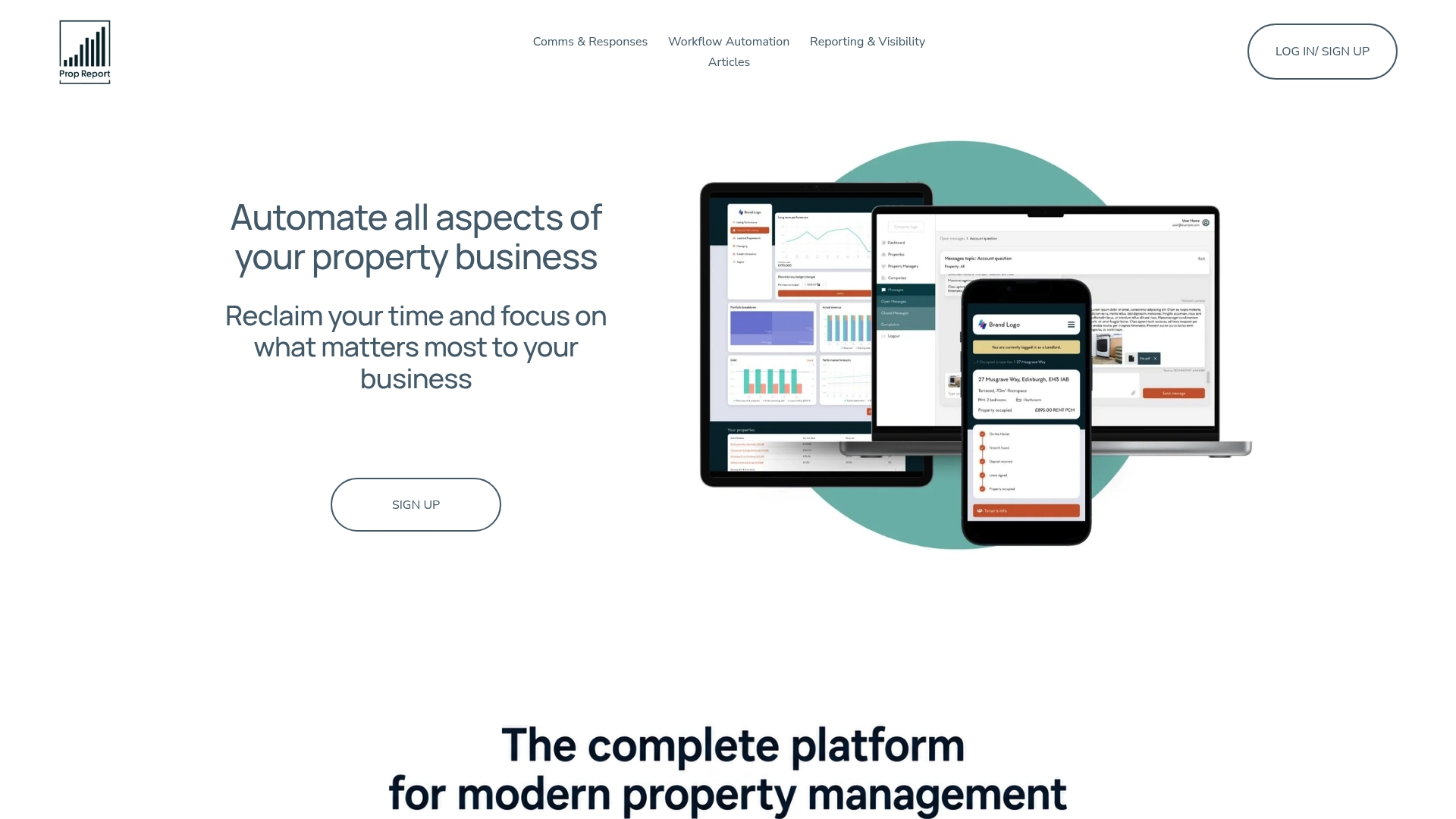
Property teams typically start by connecting their existing PMS and CRM data, then automating owner reporting and rent-related communications before expanding into onboarding and renewal documents.
- Automated data reporting removes the manual compilation that eats into a property manager's week.
- CRM integration means tenant and landlord records stay consistent across every generated document.
- The built-in communications hub (email, SMS and WhatsApp) keeps document-related messages in one traceable place.
Prop Report's own positioning claims greater workflow clarity from integrating with, rather than replacing, the systems you already use. If you manage a growing portfolio and want to see how this fits your setup, review the pricing plans, starting from the Individual plan with an affordable monthly fee, or book a demo to test the workflow automation features against your own templates.
FAQ
What are some examples of document automation?
Common examples in property management include tenancy agreements populated automatically from CRM data, rent arrears notices triggered by payment records, and owner statements generated on a fixed schedule from accounting data. Outside property, invoice generation and HR onboarding paperwork follow the same pattern.
What is a document property?
A document property refers to metadata attached to a file, such as its author, creation date, title or last-modified timestamp, rather than the content itself. In property management platforms, this metadata often feeds audit trails that record when a document was generated, edited or signed.
What does document automation mean?
Document automation means using software to generate, populate and route documents from existing data, rather than drafting each one manually. It typically combines templates, data extraction and electronic signature flows to reduce re-keying and speed up approvals.
What is the best document management system for real estate?
There is no single system that suits every property business, since needs vary by portfolio size, existing PMS and compliance requirements. Platforms like Prop Report focus specifically on combining document automation with CRM integration and reporting for property managers, which suits teams wanting these functions in one place rather than across separate tools.