

Treat Dynamics 365 as the single source of truth for property, lease and contact records, then connect it through Power Platform automations or a schema-aware middleware connector. Most portfolios below a few thousand units get there fastest with a managed integration such as Prop Report. Larger operators with legacy accounting systems need custom APIs. Done properly, this cuts reconciliation errors, centralises owner and tenant records, and speeds up reporting.
TL;DR:
- Using middleware connectors is ideal for managing multiple property systems and keeping listings, leases, and accounting synchronized in real time.
- A thorough discovery phase is crucial, involving inventory of systems, stakeholder sign-offs, and sample data testing before any coding begins.
- Protecting tenant and landlord data requires least privilege access, encryption, and strict audit trails, with Prop Report holding ISO 27001 certification as a security benchmark.
- Managed platforms reduce long-term maintenance burdens and provide faster setup, especially for portfolios that cannot dedicate internal IT resources to ongoing integration management.
Table of Contents
- What are the main ways to integrate Microsoft Dynamics with property systems?
- How do you plan a Dynamics integration project step by step?
- How should you map property data to avoid integration failures?
- What security and governance controls does a Dynamics integration need?
- What does a realistic implementation checklist and budget look like?
- How do you assess and choose a third-party integration partner?
- What ongoing support does a Dynamics integration need after go-live?
- How do you monitor and troubleshoot a live property integration?
- What compliance requirements apply beyond ISO 27001?
- Choosing between low-code, middleware and a managed platform
- Get Dynamics integration without the in-house build
- Sources
- FAQ
What are the main ways to integrate Microsoft Dynamics with property systems?
Four routes dominate real-world Dynamics CRM property management projects, and the right one depends on portfolio size, legacy systems and how much internal IT capacity you actually have.
Native Dynamics and AppSource solutions give you pre-built entities for leasing, facilities and tenant journeys without custom development. Industry-specific packages built on Dynamics and Power Platform, such as Property 365, aim to centralise leasing and facility management inside one platform, which suits a single landlord or small managing agent who wants speed over flexibility.
Power Platform low-code automations work well when you have some internal IT skill and need to connect Dynamics to email, portals or messaging without a full development cycle. Automated CRM updates and lead routing, the kind Arahi AI builds for real estate CRMs, show how much manual work disappears once routing runs continuously rather than on a rota.
Middleware or schema-aware connectors suit multi-brand property management firms running several source systems side by side. They keep listings, leases and accounting synchronised in real time, which prevents the classic problem of a unit showing as vacant in one system and let in another.
Custom API integrations are the right call for complex legacy accounting or ERP setups where no off-the-shelf connector fits the data model.
- Native/AppSource: fastest to deploy, least flexible, lowest control over data model
- Power Platform automations: moderate speed, good for workflow gaps, needs some in-house skill
- Middleware/connectors: strong for multi-system portfolios, ongoing subscription cost
- Custom APIs: the highest control and scalability, highest build and maintenance cost
How do you plan a Dynamics integration project step by step?
A Dynamics property management integration succeeds or fails on the discovery phase, not the build. Skip it and you will spend the launch month firefighting mismatched IDs instead of onboarding tenants.
- Discovery. Inventory every system that touches property data (PMS, accounting, portals, comms), document SLA and latency needs, pull sample data sets, and get sign-off from finance, lettings and IT stakeholders before writing a line of code.
- Design. Build a canonical data model covering property, lease, contact and finance entities, and decide your unique ID strategy now. Retrofitting IDs after go-live is the single most expensive mistake teams make.
- Build. Set up field mappings, transformations, connectors and webhooks. Build idempotency into every write operation so a retried sync never creates duplicate records, and design explicit error handling rather than letting failures fail silently.
- Test. Run reconciliation tests in a staging environment, cover edge cases such as mid-tenancy lease amendments or part-paid invoices, and set clear sign-off criteria before anyone touches production data.
- Launch and monitor. Write runbooks for common failure modes, set alerting thresholds for sync latency and error rates, and agree a rollback plan before go-live day, not during it.
Schema-aware, two-way connectors are the pragmatic choice whenever more than one system needs to stay authoritative for different record types, such as the PMS owning leases while accounting owns transactions, a pattern Stacksync documents well across property portfolios.
Pro Tip: Run your first reconciliation test with deliberately messy sample data, duplicate contacts, blank charge codes, mismatched currencies, rather than a clean export. That is where integrations actually break.
How should you map property data to avoid integration failures?
Canonical modelling decisions made in week two of a project tend to determine whether the integration is stable in year two. Get the property record, lease lifecycle states, contact deduplication rules and charge/currency types locked down before mapping a single field.
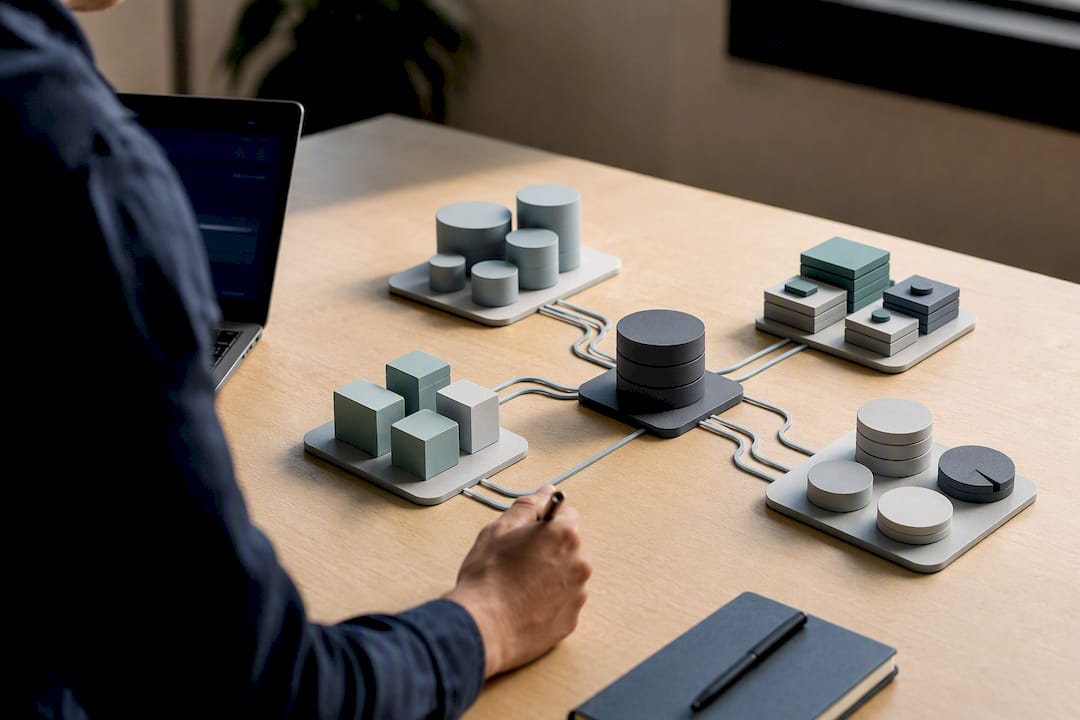
The property record should carry one unique identifier used consistently across Dynamics, the PMS and accounting. Lease lifecycle states (draft, active, renewed, terminated, in arrears) need a single controlled vocabulary rather than each system inventing its own status labels. Contact deduplication matters more than most teams expect. A landlord who owns three units and a managing agent who happens to share a surname will collide in your CRM if you rely on name matching alone.
Common pitfalls worth planning around:
- Duplicate tenant or owner records created when two systems sync the same contact under slightly different formatting
- Mismatched status enums, where "terminated" in the PMS does not map cleanly to Dynamics' lease status field
- Attachment handling that drops documents during sync, particularly with KYC files
- Document sync issues that leave compliance records incomplete, an area where automated KYC workflows measurably shorten onboarding, as ZoSync notes for real estate integrations
For conflict resolution, decide upfront between last writer wins and a source of truth pattern, with a scheduled reconciliation job to catch drift. A practical example: when a lease renewal changes the rent amount, the PMS should push the update to Dynamics and to accounting in the same transaction, with the reconciliation job flagging any record where the three systems disagree within 24 hours.
What security and governance controls does a Dynamics integration need?
Least privilege access, field-level encryption for sensitive tenant and financial data, and TLS on every API call are the baseline, not an aspiration. Every integration should log who accessed what and when, with audit trails that survive a staff change or a dispute.
Operational controls matter as much as the technical ones: incident response plans, regular vendor security assessments, and monitoring that flags unusual data volumes or failed authentication attempts before they become a breach. Data governance also needs a retention policy, pseudonymisation for any analytics use of tenant data, and a clear process for legal holds when a dispute or investigation requires records to be frozen rather than purged on schedule.
Trust signal: Prop Report centralises property management reporting and workflow automation while holding ISO 27001 certification, the internationally recognised standard for information security management. For property managers weighing a managed integration against a custom build, that certification demonstrates a commitment to data security rather than just a vendor's word for it.
What does a realistic implementation checklist and budget look like?
Assign roles before you assign dates. Every Dynamics property management integration needs a product owner, an integration lead, a data steward responsible for record quality, a tester, and someone accountable for ongoing operations once the project team disbands.
- Discovery: 2 to 4 weeks, covering systems inventory and stakeholder sign-off.
- Design: 2 to 6 weeks, covering the canonical data model and ID strategy.
- Build: 4 to 12 weeks depending on scope and how many legacy interfaces need custom work.
- Test: 2 to 4 weeks, covering reconciliation and edge cases.
Total timelines vary with legacy complexity, and Prop Report's own delivery experience reflects that spread between a lean proof of concept and a full multi-system rollout.
Budget drivers include Power Platform connector licence costs, any middleware subscription fees, consultancy or development days, and ongoing support and monitoring once live. Sensible property management budget planning treats integration as an operating cost line, not a one-off capital spend, because connectors and monitoring need renewal every year.
Track acceptance criteria against measurable KPIs: data accuracy rate, sync latency, and the reduction in manual reconciliation hours. A pilot that reports the drop in reconciliation hours and the improvement in reporting speed gives finance directors the clearest procurement case, more persuasive than any feature list.
How do you assess and choose a third-party integration partner?
Ask for evidence, not assurances. A partner should be able to show a working schema-aware connector for Dynamics, not just a slide claiming compatibility, and should explain exactly how their sync handles conflicting writes between your PMS and accounting system.
Check certifications first. ISO 27001 or an equivalent information security standard should be non-negotiable for any vendor touching tenant financial or personal data. Ask how they handle data residency, breach notification timelines, and subcontractor access to your data.
Look at integration depth rather than integration breadth. A vendor listing fifty connectors sounds impressive until you discover the Dynamics connector is a shallow one-way sync built two years ago and rarely maintained. Ask when the specific connector you need was last updated, and ask for a reference customer running a comparable portfolio size.
Pricing structure matters more than the headline number. Middleware subscriptions often scale with API call volume or record count, which can turn a cheap pilot into an expensive production system. Get a written estimate of steady-state monthly cost at your expected transaction volume, not just the onboarding fee.
Finally, weigh support model against your internal capacity. A firm with a small IT team is often better served by a managed provider that handles connector maintenance and updates as part of the subscription, rather than a raw API toolkit that needs in-house engineering to keep running.
What ongoing support does a Dynamics integration need after go-live?
Integrations are not a one-off project; they need a maintenance owner from day one. Microsoft updates Dynamics 365 and Power Platform on a regular release cadence, and connectors, transformations and webhooks built against last year's schema can silently break after an update.
Agree a support tier before launch: who fixes a failed sync at 6am on a Sunday, and what is the response time commitment? For a managed integration, that is usually covered in the subscription. For a custom build, it needs an explicit support contract or an internal on-call rota.
Plan for scheduled reviews, not just reactive fixes. Quarterly checks of field mappings against any Dynamics schema changes, connector version updates, and a review of error logs for recurring failure patterns catch drift before it becomes a data quality problem. Document every mapping decision and escalation path in a living runbook, because staff turnover is the most common reason integrations degrade quietly over eighteen months.
Version control matters for low-code Power Platform automations too. Treat flows and connectors like code: keep a changelog, test changes in a sandbox environment first, and never edit a production flow directly during business hours.
How do you monitor and troubleshoot a live property integration?
Watch three metrics continuously: sync latency, error rate, and record count drift between systems. A healthy Dynamics CRM property management integration keeps latency under a few minutes for most transactional updates and flags any error rate spike immediately rather than at month-end reconciliation.
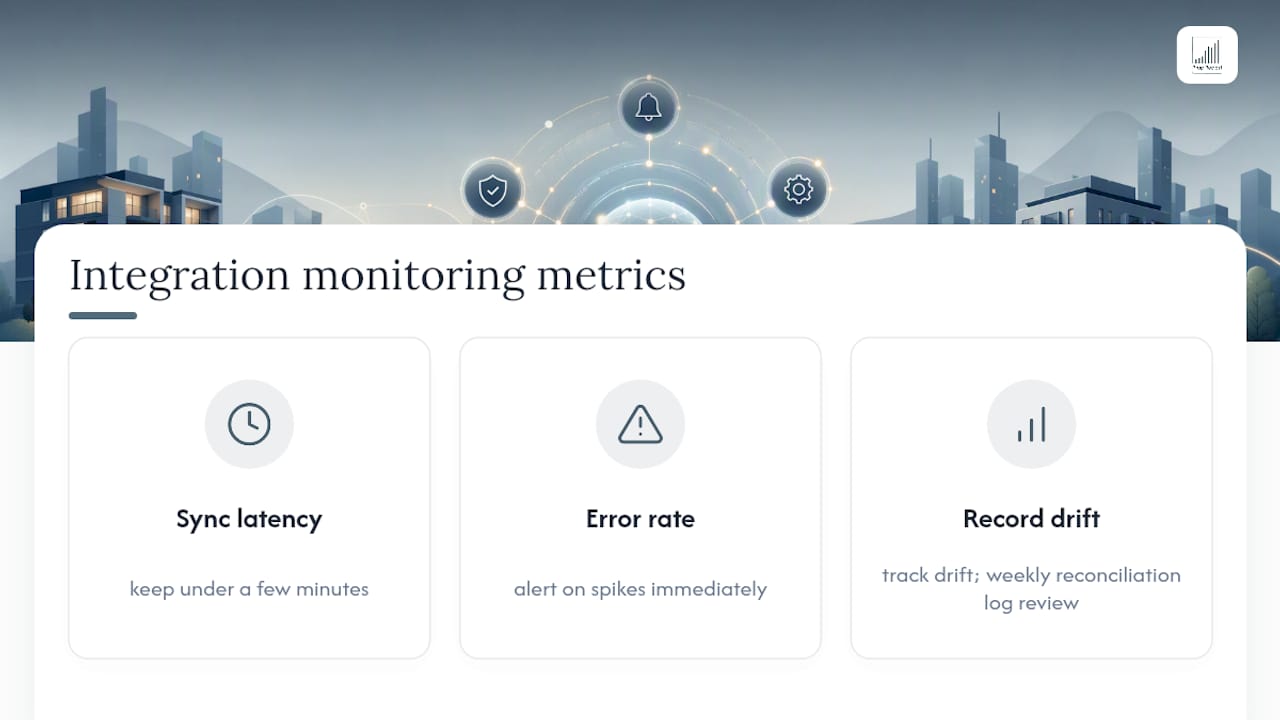
Set up alerting on failed webhook deliveries and authentication token expiries, two of the most common silent failure points. A token that quietly expires can stop a sync for days before anyone notices unless someone is actually watching for it.
When something breaks, check in this order: authentication and connectivity first, then schema mismatches (a new field added to one system but not mapped in the other), then data volume spikes that might be hitting an API rate limit. Most property integration failures trace back to one of these three causes rather than anything exotic.
Keep a rolling log of reconciliation discrepancies between the PMS, Dynamics and accounting. A weekly review of that log, even a five-minute glance, catches drift long before it compounds into a reporting discrepancy that lands on an owner's statement and damages trust.
What compliance requirements apply beyond ISO 27001?
ISO 27001 covers information security management, but property data integrations touching UK tenants and landlords must also satisfy UK GDPR and the Data Protection Act. That means a documented lawful basis for processing tenant and landlord personal data, clear data subject rights procedures, and a data processing agreement with every third party that touches the data, including your integration middleware provider.
Right to erasure requests need a workable process across every connected system, not just the primary CRM. If a former tenant requests deletion, your integration needs to propagate that request to Dynamics, the PMS and any archived reporting extract, not leave stale copies sitting in a forgotten sync log.
Anti-money laundering and know your customer requirements apply to certain property transactions too, meaning document sync for KYC files needs the same access controls and audit trail as financial records. Retention periods differ by data type: financial records typically need longer retention for tax and audit purposes, while marketing consent data has its own, usually shorter, retention rule. Building one blanket retention policy across all data types is a common compliance mistake worth avoiding from the design phase, not fixing after a data protection audit.
Choosing between low-code, middleware and a managed platform
The honest answer depends less on budget and more on what your team is actually good at maintaining. If you have internal IT capability and want rapid automation without heavy infrastructure, Power Platform earns its keep. If you are syncing five or six systems and none of them can be retired soon, middleware such as a schema-aware connector solves a real structural problem that low-code alone will not.
But most property managers I speak to overestimate their appetite for ongoing maintenance. A managed platform removes that burden entirely, which is worth more than any feature comparison suggests. Run a pilot on one property block first, measuring reconciliation hours saved and reporting latency, before rolling out portfolio-wide. If a managed route appeals, Prop Report's approach is worth examining as a lower-maintenance alternative to building and running the connector yourself.
— James
Get Dynamics integration without the in-house build
Building and maintaining your own Dynamics connector means carrying the engineering, security reviews and ongoing schema updates covered above, indefinitely. A managed platform can give property managers centralised reporting and CRM synchronisation as a subscription, with information security already handled and no integration team to hire or retain.
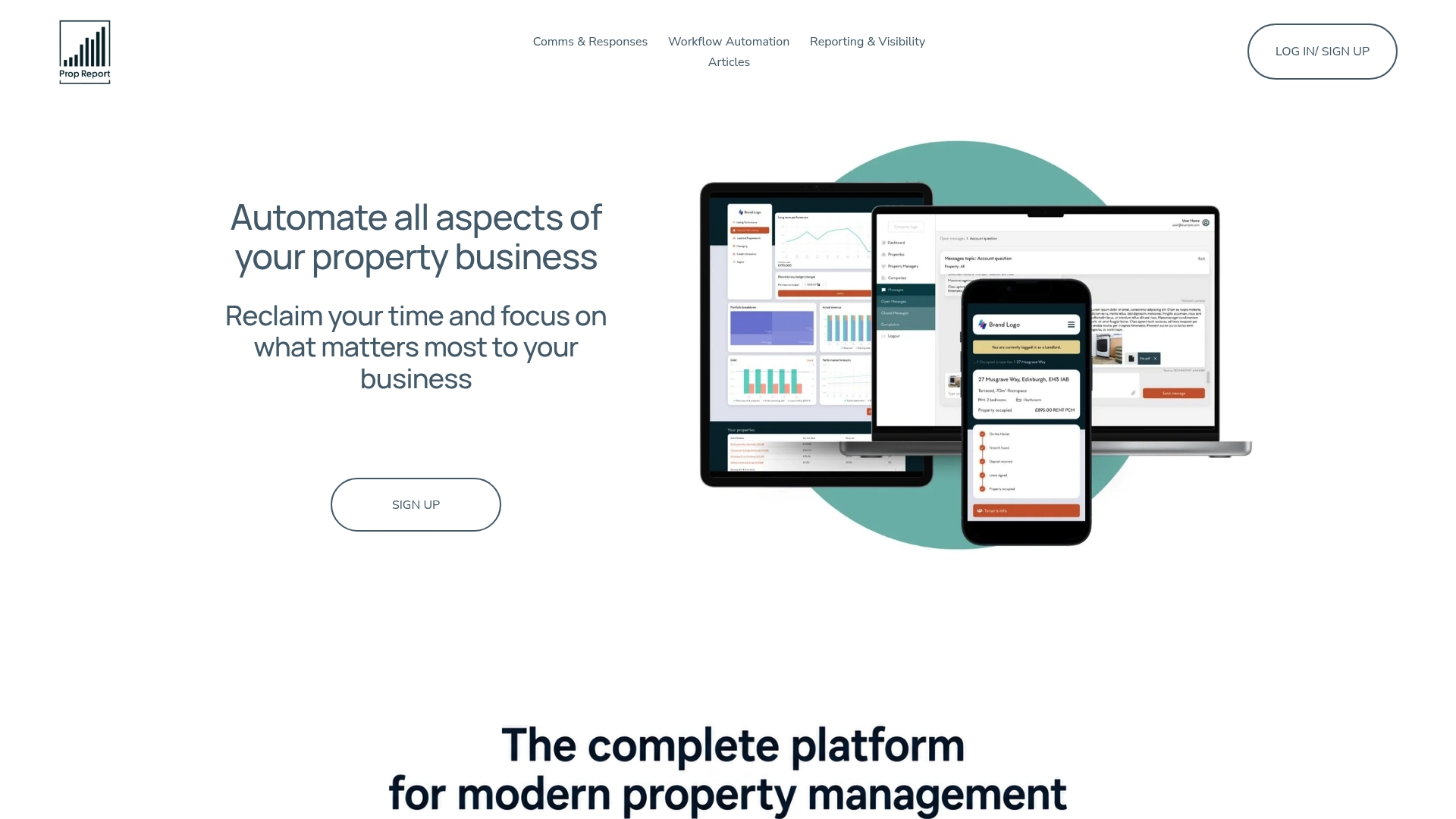
Instead of a discovery phase measured in months, real-time property, lease and owner data can flow into one dashboard, with workflow automation already built in rather than assembled connector by connector. That matters most for portfolios that cannot spare an IT resource to babysit webhooks and token expiries indefinitely. For a landlord-focused view of how that translates into owner reporting and control, the landlord outcomes page sets out what changes on the reporting side once integration stops being a project and becomes infrastructure.
If a custom build or middleware subscription feels like more commitment than your team wants to own long-term, book a technical scoping call to see whether a managed integration fits your portfolio size and systems.
Sources
FAQ
How long does a Microsoft Dynamics property integration take?
A proof of concept can run in a few weeks, but a full integration typically spans discovery (2 to 4 weeks), design (2 to 6 weeks) and build (4 to 12 weeks) depending on legacy system complexity.
Can Dynamics 365 store lease and tenancy data directly?
Yes, either through custom entities or an industry-specific solution such as Property 365, though most portfolios still need a defined canonical model for lease lifecycle states.
What is the biggest technical pitfall in Dynamics property integrations?
Duplicate contact records and mismatched status enums between the PMS and Dynamics cause most reconciliation errors, which is why locking a canonical data model before building matters more than the connector choice itself.
How do you keep tenant data secure during integration?
Apply least privilege access, field-level encryption and TLS on every API call, and choose vendors with recognised certifications; Prop Report's ISO 27001 certification is one example of an auditable security standard for this purpose.
Do property Dynamics integrations need to comply with GDPR?
Yes. UK GDPR and the Data Protection Act require a lawful basis for processing tenant and landlord data, a data processing agreement with every third party involved, and a working right-to-erasure process across all connected systems.