

A Power BI property dashboard is an interactive multi-page report that gives property teams live KPIs for rent, occupancy, maintenance and lease risk in one place. Instead of chasing spreadsheets across email chains, you get rent collected against rent due, vacancy trends, and upcoming lease expiries updating on a schedule you control. Ready-made .pbix templates already exist for this exact job, which means most property managers can be looking at real data within an afternoon rather than building a model from scratch.
TL;DR:
- Most property dashboards use a standard five-page structure covering overview, financial, property, maintenance, and lease information for comprehensive insights.
- Core KPIs include rent collection, occupancy, vacancy rates, and maintenance costs, with additional metrics like arrears aging and lease expiry timelines for deeper analysis.
- Building an effective dashboard depends heavily on a star schema data structure, a dedicated calendar table, and consistent mapping of property IDs across sources.
- Visuals should be selected to match the question, using KPI cards, maps, trend lines, and conditional tables, with cross-page slicers to enable easy filtering.
- Automating reporting through platforms like Propreport simplifies data updates, security, and sharing, avoiding common issues such as relationship errors and slow performance in large portfolios.
Table of Contents
- What is a Power BI property dashboard built from?
- Which KPIs actually belong on a property dashboard?
- How do you structure the data behind the dashboard?
- What visuals and DAX measures make the dashboard useful?
- How do you set up a downloadable .pbix template quickly?
- Desktop or Power BI Service: how do you share and refresh the dashboard?
- How do different property teams use the same dashboard?
- How does Propreport connect to the same outcomes?
- Who should see what: setting up roles and access control
- Keeping a large portfolio dashboard fast
- Does the dashboard work properly on a phone?
- What goes wrong most often when building these dashboards?
- What I'd prioritise if you're starting from scratch
- Get these dashboards without building them yourself
- Sources
- FAQ
What is a Power BI property dashboard built from?
A working template is rarely one screen. Most property-management .pbix files split the workload across multiple pages, each answering a different operational question, and this structure has become close to a standard across the templates on the market.
- Overview – the executive summary: KPI cards, alerts on arrears or vacancies, and quick filters by region or manager.
- Financial – rent collected versus rent due, arrears trends, and cost breakdowns by property.
- Property – occupancy status, unit-level detail, and a location map where relevant.
- Maintenance – open work orders, cost per property, and turnaround time.
- Lease/tenancy – expiry pipeline, renewal risk, and tenant contact detail.
That five-page structure, including total rent, rent collected, maintenance cost, total properties and occupancy rate as headline cards, turns up repeatedly across Property Management Dashboard in Power BI - Next Gen Templates. The overview page should never be a dumping ground. Keep it to the numbers a manager checks first thing each morning, with slicers that carry through to every other page so a click on "North Region" filters the financial and maintenance pages too.
Which KPIs actually belong on a property dashboard?
Five key metrics do most of the work on any well-built dashboard: rent, collection, occupancy, vacancy, and maintenance cost. These headline figures are common across marketplace templates, and templates commonly build these as the core KPI card set, because they answer the questions a portfolio owner asks first: are we getting paid, are units filled, and is maintenance spend under control.
Once those are in place, a second layer of metrics adds depth without cluttering the overview page.
- Arrears ageing – how long overdue balances have sat unpaid, typically bucketed into recent, medium, and longer-term overdue periods.
- Days to let – the average gap between a unit going vacant and a new tenancy starting.
- Lease expiry pipeline – a rolling view of contracts ending in the next 30, 60 and 90 days.
- NOI per property – net operating income after costs, useful for comparing assets within a portfolio.
Pro Tip: Match visual type to the question. Use a card for a single number that needs no context, a gauge when there's a target to hit (occupancy against a 95% benchmark, for instance), a table for arrears ageing where the reader needs row-level detail, and a line chart wherever a trend over time matters more than the current figure.
How do you structure the data behind the dashboard?
Source data for a property dashboard usually arrives from four places: PMS exports in CSV or Excel format, accounting exports, SQL databases for larger portfolios, and occasionally an API feed from a property management system. None of these is difficult on its own. The problem comes when you try to join them without a consistent structure, which is where most home-built dashboards start falling apart around month three.
- Build fact tables for transactions and rent roll. These hold the numbers: payments, charges, and rent due per period.
- Build dimension tables for property, tenant, contract and calendar. These describe the "who and what" behind every transaction.
- Add a dedicated calendar table. This is not optional. Every serious lease and revenue analysis depends on consistent date logic that a calendar table provides far more reliably than dates buried in transaction records.
- Map keys consistently across tables. A property ID that reads "PROP001" in one export and "Prop-001" in another will silently break every relationship you build on top of it.
This layout, known as a star schema with fact and dimension tables plus a custom calendar, is the same approach used in open-source example dashboards on GitHub, and it holds up well because separate fact tables for transactions and rent roll alongside dimension tables for property, tenant and contract keep DAX measures both fast and easy to audit. Clean field names before you load anything. Renaming "Amt_Due" to "Rent Due" after the model is built costs far more time than doing it during import.
What visuals and DAX measures make the dashboard useful?
The visual mix that works best combines KPI cards for headline numbers, a map for portfolio-wide location context, stacked bars for cost or income breakdowns, line trends for anything measured over time, conditional-formatted tables for arrears or maintenance backlogs, and a timeline visual for lease expiries. None of this needs to be elaborate. A dashboard with six well-chosen visuals beats one with twenty that nobody reads past week two.
Cross-page slicers do the heavy lifting for interactivity. Set a slicer on property, region or date at the report level rather than the page level, and a click on the overview page filters straight through to financial and maintenance detail without the reader touching a second control. This is exactly the pattern that real estate templates use to let managers filter by location, property manager and tenant type across every page at once.
A handful of DAX measures cover most needs:
- Occupancy rate – occupied units divided by total lettable units, expressed as a percentage.
- Rent collected vs rent due – a ratio measure that flags collection gaps before they become arrears.
- Rolling 12-month rent – a moving total that smooths out seasonal dips and shows genuine trend direction.
- Arrears ageing buckets – a calculated column that groups overdue balances by how long they've been outstanding.
Pro Tip: Build the rolling 12-month rent measure early. It's the single measure that stops a manager panicking over one bad month when the underlying trend is actually fine.
How do you set up a downloadable .pbix template quickly?
Getting from a downloaded file to a working dashboard usually takes four steps, and template vendors regularly claim this can be done in under ten minutes once the source files are ready. That estimate assumes your rent roll and maintenance exports are already reasonably clean, so budget more time on your first attempt.
- Open the .pbix in Power BI Desktop and inspect the model. Check the relationships view before touching any visuals, so you understand what's already connected.
- Replace the sample tables with your own rent roll and maintenance exports. Map each field carefully; a mismatched column name will break a measure silently rather than throwing an error.
- Refresh every visual and check relationships still hold. A broken relationship after a data swap is the most common reason a template "stops working" for new users.
- Adjust slicers and branding. Swap the colour palette and logo, then confirm slicers still filter every page as intended.
This replace-and-refresh workflow mirrors what community-shared property dashboard files on GitHub demonstrate: the model stays the same, only the data changes.
Desktop or Power BI Service: how do you share and refresh the dashboard?
Power BI Desktop handles local use and PDF export without a paid licence, which covers a single property manager working alone. The moment you want a wider team viewing the same live dashboard, you need Power BI Pro (or Premium for larger organisations) to publish through Power BI Service, since Desktop is free for local work while Pro is required to publish and share through Power BI Service.
- Use a gateway for on-premises data sources so scheduled refresh can reach behind your firewall.
- Set daily refresh for operational data like maintenance tickets and rent postings, following best practices described in the Reporting Cadence guide.
- Set weekly refresh for management reporting where trend direction matters more than the last 24 hours.
- Agree a realistic data quality SLA with whoever owns the source exports, since a dashboard is only as reliable as the feed behind it.
How do different property teams use the same dashboard?
The same multi-page structure adapts to different roles, with short-term-let managers focusing on daily occupancy and rates, portfolio managers on income and lease risks, and letting teams on arrears and maintenance metrics.
- STR managers: daily occupancy trends, ADR by property, and side-by-side channel performance.
- Portfolio managers: NOI comparisons across assets, tenant concentration risk, and a rolling lease expiry view.
- Letting teams: arrears movement, open repairs count, and individual agent conversion rates.
How does Propreport connect to the same outcomes?
Building and maintaining a dashboard like this manually still means someone has to pull exports, fix key mismatches, and rebuild relationships every time a system changes. Propreport automates reporting and integrates with CRM systems, enabling KPIs to populate without manual export cycles. The platform also incorporates data security measures consistent with financial reporting systems.
Who should see what: setting up roles and access control
A property dashboard usually holds tenant names, contact details, and financial data that shouldn't sit in front of every viewer with a link. Power BI's row-level security (RLS) lets you restrict what a given user sees within the same report, rather than building separate files for each region or client.
Set roles around how your organisation actually splits responsibility. A regional manager might only need to see properties in their patch, while a finance lead needs visibility across the whole portfolio but no reason to see maintenance ticket detail. Define these as RLS roles inside Power BI Desktop, tied to a field like "Region" or "PropertyManagerID" in your dimension table, then test each role before publishing by using the "view as role" function.
Workspace-level access in Power BI Service adds a second layer. Viewers can see reports without editing them, while members and admins can modify the underlying model. Keep the list of people with edit access small. A dashboard that five people can accidentally reshape stops being a reliable source of truth within weeks.
Landlords and external stakeholders present a slightly different case. Rather than giving them a workspace seat, many property managers use a filtered, read-only view or export, since owner portals tend to work better as a purpose-built layer rather than a raw Power BI share. If you're managing on behalf of landlord clients, that division between an internal operational dashboard and an external owner-facing summary is worth deciding early, because retrofitting security roles after wide distribution has already happened is considerably harder than setting them up first.
Keeping a large portfolio dashboard fast
A dashboard covering a handful of properties will feel instant on almost any setup. One covering several hundred units across multiple regions is a different problem, and the usual symptom is a report that takes ten seconds to switch pages instead of one.
Import mode beats DirectQuery for most property portfolios, since it loads data into memory rather than querying the source live on every click. The trade-off is refresh timing rather than raw speed, which is why the daily and weekly refresh cadence discussed earlier matters more than trying to get live data every second.
Model size is usually the real culprit behind slow dashboards, not visual count. A transaction table with several years of daily entries at unit level, sitting alongside oversized text columns and unnecessary duplicate fields, will drag down every calculation touching it. A few practical fixes help:
- Remove columns you're not actually using in any visual or measure, since every extra column adds to the model's memory footprint.
- Aggregate historical transaction detail older than 24 months where drill-through to daily granularity isn't genuinely needed.
- Use variables inside DAX measures rather than repeating the same calculation multiple times within one formula.
- Avoid calculated columns where a measure will do the same job, since measures calculate on demand rather than storing extra data in the model.
Pro Tip: If a specific page consistently loads slower than the rest, check for a single unoptimised visual first, usually a table with too many rows and no summarisation, before assuming the whole model needs rebuilding.
Does the dashboard work properly on a phone?
Property managers rarely check dashboards from a desk. A maintenance issue gets flagged from a job site, an arrears query comes up mid-viewing, and the dashboard needs to answer the question from a phone screen just as well as a monitor.
Power BI's mobile layout is a separate view from the desktop report, and it needs building deliberately rather than assumed. The desktop canvas simply doesn't reflow automatically into something usable on a small screen, so skipping this step means your mobile users get a report they have to pinch and scroll across sideways, which defeats the point of checking anything on the move.
Build the mobile layout around the two or three numbers someone genuinely needs while away from a desk: current arrears total, open maintenance tickets, and today's occupancy snapshot are usually enough. Cut everything else. A mobile page crammed with the same density as the desktop overview becomes unreadable rather than convenient.
Test on an actual device before calling it finished. The Power BI mobile app renders differently enough from a browser preview that assumptions made on a laptop screen don't always hold once you're looking at a five-inch display in a stairwell with patchy signal.
What goes wrong most often when building these dashboards?
Broken relationships after a data swap are the single most common issue, usually caused by a key field that doesn't match exactly between the old sample table and the new import, even when the values look identical to the eye. Trailing spaces, inconsistent capitalisation, and mismatched data types (text versus whole number) on what should be the same property ID all cause this silently.
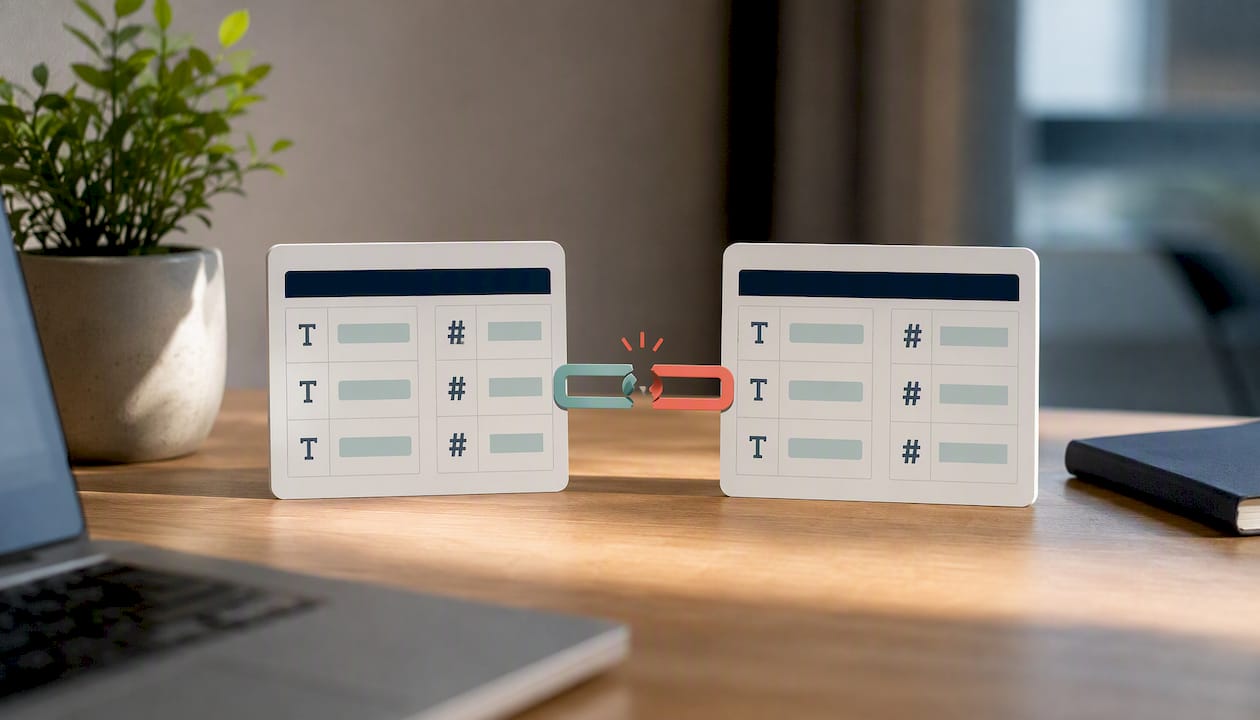
Circular or ambiguous relationships come a close second, particularly once a portfolio has multiple date fields (lease start, lease end, payment date) all trying to relate to the same calendar table. Power BI won't always error clearly here. Instead, a measure just returns a number that looks plausible but is quietly wrong, which is far more dangerous than an obvious crash.
A few other patterns show up repeatedly:
- Over-visualising the overview page. Twelve KPI cards competing for attention is worse than five that matter.
- Ignoring blank or null values in the rent roll. These usually mean a unit is vacant or a tenancy hasn't started, not that the data is broken, but treated wrong they skew occupancy calculations.
- Publishing before testing row-level security roles. A role that "works" in Desktop preview can still leak data once published if the underlying table relationships were misconfigured.
- Skipping a proper calendar table. Using date fields straight from transaction data instead of a dedicated calendar table breaks time-intelligence measures like rolling averages and year-on-year comparisons.
What I'd prioritise if you're starting from scratch
Get the rent-roll schema right before touching a single visual. Most dashboard failures trace back to messy source data, not weak DAX. Start with five KPIs, not twenty, and add complexity only once those are trusted. A dashboard that drives one decision a week beats a beautiful one nobody acts on.
— James
Get these dashboards without building them yourself
Everything covered above, the star schema, the calendar table, the KPI cards, takes real time to build and even more time to maintain as your portfolio grows and your PMS exports change shape. Propreport automates reporting by integrating with CRM and finance systems, updating rent, occupancy, and maintenance metrics without manual model rebuilding. It includes a communication hub that helps manage tenant interactions linked to financial data. For landlords who want the same real-time visibility without touching Power BI at all, the landlord portal gives that view directly. If you manage a portfolio and want to see how the automation works against your own data, book a demo through Propreport's platform page and bring a recent rent roll export to the call.
Sources
FAQ
Is Power BI still in demand for property management?
Yes. It remains the most widely used platform for building interactive property and portfolio reports, with ongoing development from Microsoft across both Desktop and Service.
Is Power BI being deprecated or replaced?
No. Microsoft continues to actively develop Power BI as part of its wider Power Platform, and it remains the primary tool referenced across property-management templates and community examples.
What is one big drawback of Power BI for property dashboards?
Sharing live dashboards with a wider team requires a Power BI Pro or Premium licence, since the free Desktop version only supports local use and PDF export.
What are the four types of dashboards used in property management?
Most templates split into overview, financial, property and maintenance dashboards, often with a fifth lease or tenancy page added for portfolios with active lease-expiry risk.
Do I need coding skills to build a Power BI property dashboard?
No coding is required, though basic familiarity with DAX formulas helps for measures like occupancy rate and rolling rent totals. Starting from an existing .pbix template, such as those referenced above, removes most of that learning curve.
How does Propreport compare to building a dashboard from scratch?
Propreport automates the reporting and CRM integration work that a manually built dashboard requires you to maintain yourself, while its ISO certification addresses the data security question that a self-built model leaves entirely up to you.