

CRM integration matters because unconnected systems bleed leads and hours: agents who chase portal enquiries manually lose contacts that a webhook would have logged in seconds. The right approach is a webhook or native API-first connection, not polling or fragile middleware, because lead speed and reliability depend on it. Some platforms build this connective layer directly into property management workflows.
TL;DR:
- Webhook-based integrations deliver leads in under a second, enabling real-time responses and reducing duplicate outreach.
- Connecting to portals, document workflows, referencing, accounting, and communication systems streamlines operations and minimizes manual errors.
- Use token-based authentication, explicit versioning, and retry logic to ensure reliable webhook delivery and system resilience.
- Successful implementation requires phased planning, thorough testing with messy data, and ongoing monitoring to prevent silent failures.
- Platforms that centralize communications and automate reporting, like Prop Report, simplify integration, improve security, and reduce maintenance costs.
Table of Contents
- Why does property CRM integration matter for agencies?
- What systems should a property CRM connect to?
- Webhooks, APIs and middleware: which integration method actually works?
- How fast should you respond to leads, and how do you avoid duplicates?
- What's the implementation checklist for a property CRM integration?
- How long does a CRM integration project take, and what does it cost?
- How does Prop Report approach integration and data security?
- Lessons from real integration projects
- How Prop Report supports your integration plan
- Useful technical and partner resources
- Sources
Why does property CRM integration matter for agencies?
Speed to contact is the number one lever in lead conversion, and it depends entirely on how fast data moves between your portals and your CRM. Explainer guides for estate agencies point to three consistent gains from integration: streamlined workflows, automated follow-ups, and fewer data-entry errors. Those aren't abstract benefits. They show up in your Monday morning inbox.
Statistic: Webhook-based lead delivery can push data from portal to CRM in sub-second timescales, which is what actually makes a 15-minute response SLA achievable rather than aspirational.
Beyond speed, integration gives you one timeline instead of five scattered ones. Calls, texts, WhatsApp messages, and portal enquiries land against the same contact record rather than sitting in separate inboxes that nobody cross-checks.
Practically, that means:
- Faster contact rates because leads route to the right negotiator the moment they arrive
- Fewer manual re-keying errors between portal, CRM, and finance systems
- Cleaner landlord reporting because compliance tasks and communications sit on one auditable record
- Less time spent reconciling "did we call this person back?" across different tools
For a letting agency juggling forty live enquiries a week, that last point alone often justifies the integration cost.
What systems should a property CRM connect to?
Most agencies don't need every integration on day one, but knowing what's available helps you sequence the work sensibly. The common connection points fall into five categories, each solving a distinct operational problem.
- Portal feeds and listing APIs. Connecting to portal partner programmes lets you publish listings faster and pull enquiries straight into your CRM instead of monitoring a shared inbox. realestate.com.au's partner platform, for example, exposes listing upload and leads APIs so partner CRMs can publish and ingest data without screen-scraping.
- E-signature and document workflows. Tenancy agreements and referencing paperwork move faster when signing status feeds back into the CRM automatically, cutting the manual chasing that delays move-ins.
- Referencing and tenant screening systems. Passing applicant data through directly avoids the classic double-entry error where a screening result never makes it back to the negotiator's notes.
- Accounting and payments platforms. Rent and fee reconciliation happens automatically rather than through a monthly spreadsheet cross-check.
- Communications platforms. Email, SMS, WhatsApp, and telephony integrations centralise contact history so any team member can pick up a conversation with full context.
Vendor case studies bear this out in practice. Goodlord's integration with Street is cited as an example of faster move-ins and fewer manual steps once referencing and document handling connect directly to the CRM.
Webhooks, APIs and middleware: which integration method actually works?
The technical choice behind your integration determines whether leads arrive in seconds or minutes, and that difference compounds across hundreds of enquiries a month.
Webhooks push data the instant something happens. A new enquiry, a status change, a signed document. All fire an event straight to your CRM without your systems having to ask for it. This is the technical standard for low-latency lead delivery, and it's why webhook-first architecture is the recommended default for any agency serious about response-time SLAs.
Polling APIs fetch data on a schedule instead of reacting to events. Your CRM might check the portal every five or ten minutes. That gap sounds small until you realise a competing agency using webhooks has already called the lead twice by the time yours notices the enquiry.
Middleware tools like Zapier or other iPaaS platforms have a place, particularly for smaller agencies bridging systems that don't offer native connections. But they're fragile at scale: portal schema changes break mappings without warning, and rate limits throttle throughput exactly when enquiry volume spikes. Technical guidance on this trade-off is consistent: treat middleware as a bridge, not a permanent foundation.
Whichever method you choose, build in:
- Token-based authentication with scheduled rotation, not static API keys left unchanged for years
- Explicit API versioning so a portal's update doesn't silently break your feed
- Retry logic and error logging so a failed webhook delivery gets flagged, not lost
Pro Tip: Ask any vendor what happens when a webhook delivery fails. If the answer is "it just retries," push for detail. A proper implementation logs the failure, retries with backoff, and alerts a human if the second attempt also fails.
How fast should you respond to leads, and how do you avoid duplicates?
A timely response window is the practical benchmark most integrated agencies work towards, and hitting it consistently depends on two things working together: deduplication and clear assignment rules.
- Match on multiple keys, not just one. Phone number, email address, and listing reference together catch far more duplicate enquiries than email alone, since the same lead often submits through different contact details on different portals.
- Use a rolling window for near-duplicate detection. If the same phone number enquires about two different listings within an hour, that's still one lead worth merging into a single record rather than two separate follow-ups.
- Automate assignment by area, language, or round robin. Manual triage adds minutes you don't have; rules-based routing gets the enquiry to the right negotiator immediately.
- Log every assignment decision. An audit trail matters when a landlord asks why their property got three days of silence, or when two negotiators both claim the same lead.
Combining webhook delivery with deduplication and auto-assignment is what actually reduces duplicate outreach and the internal friction it causes. Two negotiators calling the same prospect within an hour of each other damages trust faster than almost anything else in the sales process.
What's the implementation checklist for a property CRM integration?
A structured rollout avoids the two most common failure modes: scope creep and skipped testing. Break the project into four phases.
- Pre-project. Inventory every system in play (portals, referencing, accounting, comms tools), assign a stakeholder owner for each, and confirm data protection obligations for anything involving tenant or applicant personal data.
- Mapping and development. Match fields between systems (a portal's "enquiry type" might not map cleanly to your CRM's "lead source"), generate authentication tokens, and build test webhooks using sample payloads before touching live data.
- Testing and go-live. Run a staged rollout with a small subset of listings or one branch first. Set up monitoring dashboards that flag failed deliveries in real time, check SLA performance daily for the first fortnight, and keep a documented rollback plan in case something breaks.
- Post-go-live. Train the team on the new workflow, not just the tool. Schedule a review at 30 and 90 days to catch drift before it becomes a habit.
Pro Tip: Test with genuinely messy sample data, not clean demo records. A lead with a missing postcode or a duplicate phone number formatted three different ways will happen on day one; find out how your integration handles it before it's a live enquiry.
How long does a CRM integration project take, and what does it cost?
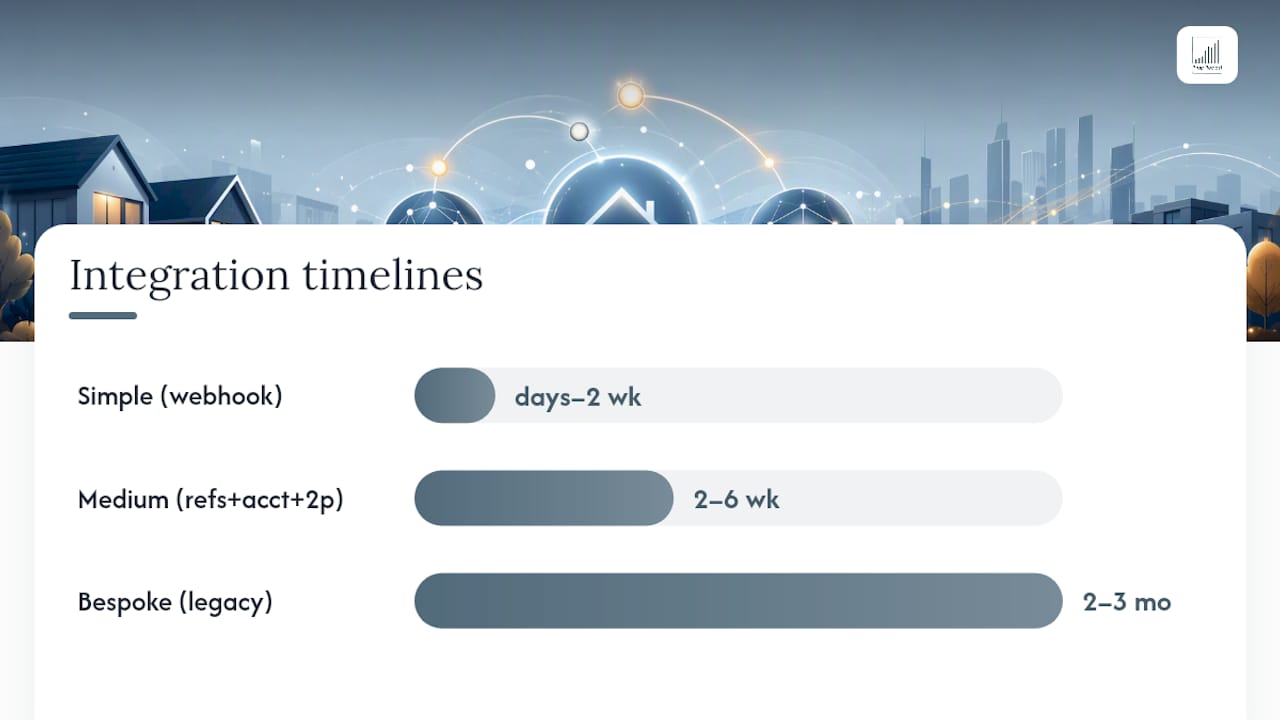
Timelines vary enormously depending on how many systems you're connecting and how standard those connections are. A simple webhook link between one portal and a modern CRM can be live within days to two weeks. Medium-complexity projects, say connecting referencing, accounting, and two portals, typically run two to six weeks. Bespoke work involving legacy systems or unusual data structures can stretch to two or three months or more.
Costs cluster around a few drivers:
- Portal or third-party API access fees, which some providers charge and others don't
- Developer hours for mapping, testing, and error handling
- Middleware subscription costs if you're using an iPaaS layer
- Ongoing maintenance: portal schema changes happen without warning, and someone needs to monitor for breakage
Budget for maintenance the same way you budget for the build. An integration that works perfectly at launch can silently fail six months later when a portal updates its API.
How does Prop Report approach integration and data security?
Some platforms automate the reporting and communication work that consumes property managers' time, and connect directly into existing CRM and finance systems rather than requiring teams to abandon their current tools. Some platforms centralise email, SMS, and WhatsApp into a single communications hub and hold ISO 27001 certification for information security management.
Consolidating reporting, CRM connections, and finance integration into one platform can mean webhook events from portals or partner systems are logged, deduplicated, and routed without a property manager manually cross-checking multiple tools each morning.
That operational model matters for the deduplication and SLA practices covered above. A platform that centralises communications may be better positioned to catch duplicate leads and log assignment decisions than one where each channel sits in isolation. Landlord-facing reporting benefits similarly, since owner portals draw from the same consolidated data rather than a separate export process.
Lessons from real integration projects
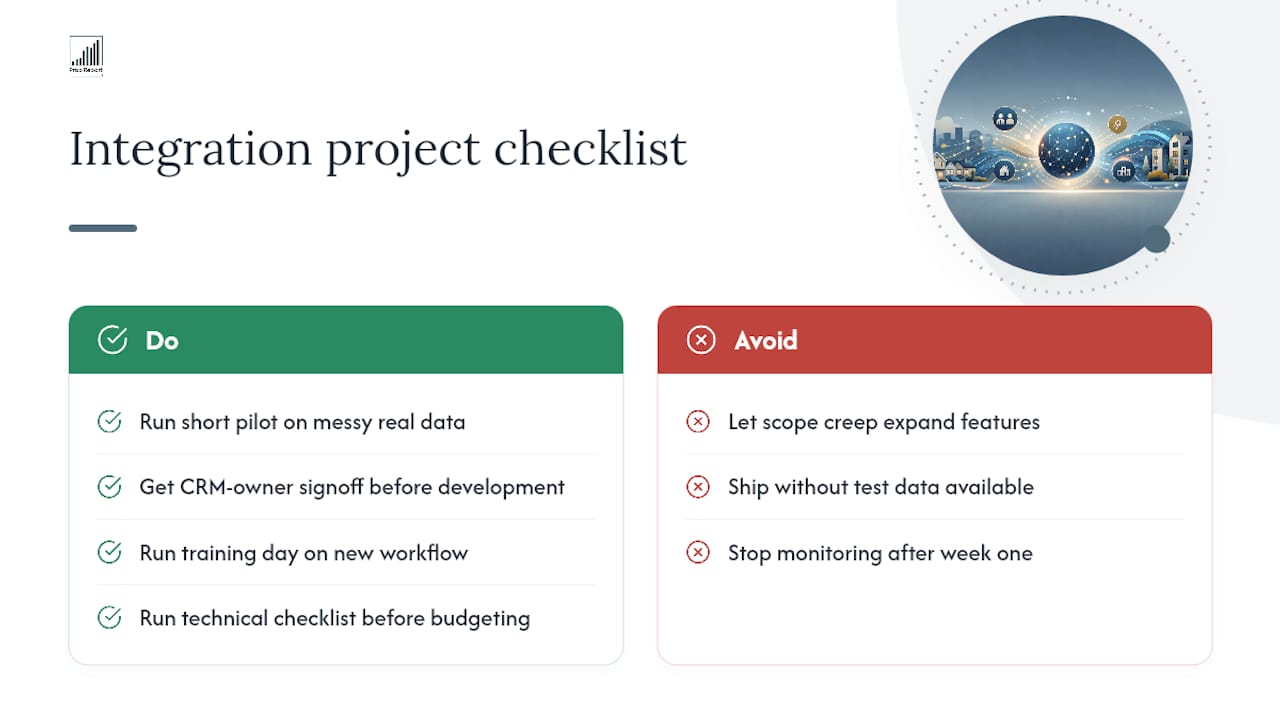
Most integration projects don't fail on technology. They fail on scope creep, missing test data, or nobody watching the monitoring dashboard after week one. The agencies that get this right run a short pilot on messy real-world data, get sign-off from whoever owns the CRM before development starts, and run a training day so the team understands the new workflow, not just the button to click.
If you're weighing up your own integration project, a technical checklist review before you commit budget saves far more time than it costs.
— James
How Prop Report supports your integration plan
Some platforms address the operational gap of agencies needing webhook-speed lead delivery, deduplication, and centralised communications without stitching together multiple separate tools themselves. Where a DIY middleware setup leaves you managing rate limits and schema breakages, some platforms handle the connective layer as part of their offering, alongside ISO 27001-certified data handling and automated reporting.
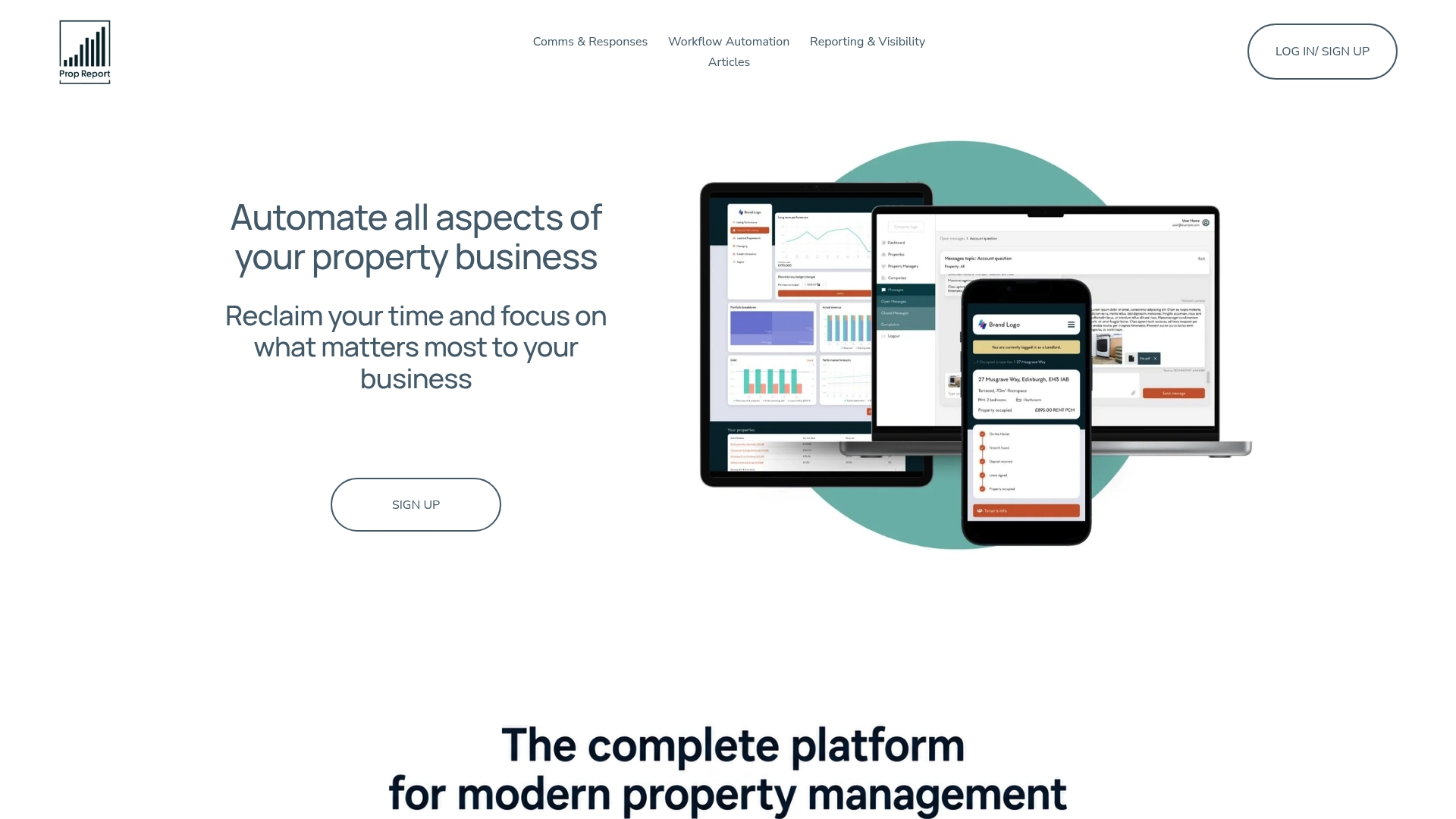
That matters most for agencies who've read the implementation checklist above and realised they'd rather not build it from scratch. Propreport's AI-driven property management platform connects CRM, finance systems, and communications into one workflow, with owner portal reporting built in for landlords who want visibility without chasing updates. If your team is evaluating vendors, book a demo and bring your current integration pain points; it's the fastest way to see whether the platform fits your stack before you commit to a build.
Useful technical and partner resources
For a broader technical primer on how CRM integration connects systems and teams, see this CRM integration guide. For selection criteria across different agency sizes, this CRM software roundup is a useful reference point.
Sources
- What is CRM integration? Definition, benefits and how-to
- Bayut & Property Finder CRM Integration: How Dubai Agents Capture Every Lead in 2026
- CRM Integrations | Customer Marketing Centre
- The best proptech CRM integrations with Goodlord: Street. ...