

A reliable implementation follows a phased project plan: set measurable goals, audit and migrate data, pilot on a small sample, then scale with role-based training. Assign a project owner from day one, track adoption and reconciliation accuracy as success metrics, and never cut over the whole portfolio in a single weekend. Start now by booking a discovery session with your leasing, accounting and maintenance leads.
TL;DR:
- Proper implementation requires a phased approach, including discovery, data auditing, pilot testing, and role-based training, spanning weeks or months depending on portfolio size.
- Data migration is the riskiest step, demanding thorough auditing, cleaning, and phased imports, with validation checks at each stage to prevent costly errors.
- Integration testing should focus on CRM, accounting, and payment gateways, ensuring secure, accurate, and fail-safe data exchange before going live.
- Running systems in parallel for at least one accounting cycle and confirming parity across financial and operational data minimizes post-migration issues.
- Small portfolios can often implement within four to six weeks at lower cost, while larger, complex portfolios may require three to six months and higher budgets for a safe transition.
Table of Contents
- What does property management software implementation actually involve?
- How do you gather requirements for a new property management system?
- How do you audit and migrate property management data?
- Which integrations matter most and how do you test them?
- How do you pilot and run a new system in parallel with the old one?
- How do you train staff and drive adoption of new software?
- What should be on your go-live checklist?
- How long does implementation take and what does it cost?
- How Propreport structures onboarding, integrations and security
- The one lesson that separates a smooth switch from a painful one
- Ready to move from planning to implementation?
- Where to go for deeper implementation checklists
- Sources
- FAQ
What does property management software implementation actually involve?
Implementation is not the same as installation. Installing software takes an afternoon; implementing it properly, across leasing, accounting, maintenance and owner reporting, takes weeks or months depending on portfolio size and how tangled your existing data is.
Start with discovery. Sit down with whoever runs leasing, whoever chases arrears, and whoever schedules maintenance, and map how each of them actually works today, not how the org chart says they work. Most property managers discover during this exercise that three different spreadsheets are doing the job one system should be doing.
Once you understand the current workflow, decide whether you build or buy. Building a bespoke system rarely makes sense for portfolios under a few thousand units. It's expensive, slow to reach usable maturity, and needs ongoing developer time that most letting agencies and management firms would rather spend on tenants and owners. Buying an established platform gets you to value faster, comes with support, and scales as you add properties.
Use this checklist to weigh the decision:
- Cost: total cost of ownership over three years, not just the monthly subscription
- Time to value: how many weeks until the first team member is genuinely productive
- Integration needs: does it connect to your existing accounting package and payment gateway
- Support: is there a real onboarding team, or just a help centre
- Scalability: can it handle double your current property count without a re-platform
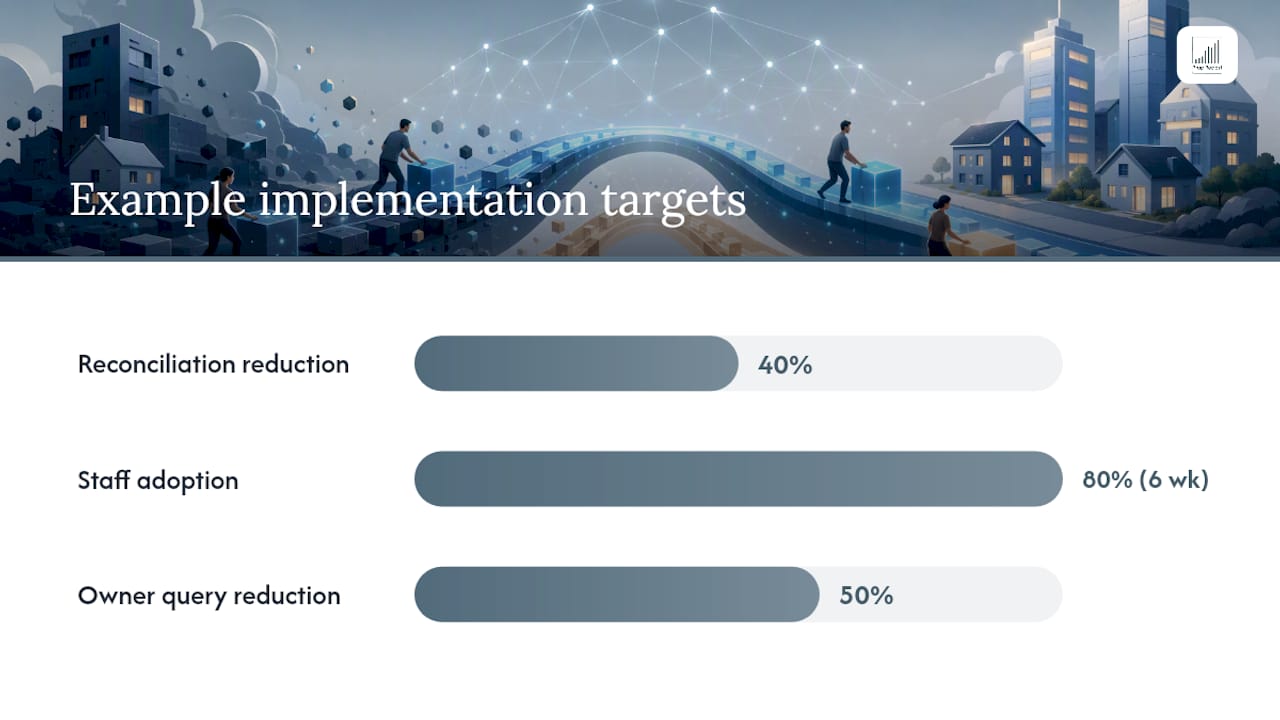
Then set three to five measurable success metrics before you sign anything: for example, cut reconciliation time by 40%, reach 80% staff adoption within six weeks of go-live, or reduce owner reporting queries by half. According to Beyond the Demo: How to Successfully Implement New Property Management Software, implementations that succeed are run as projects with a named owner, a phased timeline and metrics agreed upfront, not as a vendor switch you hope will work itself out.
How do you gather requirements for a new property management system?
Requirements gathering is where most implementations quietly go wrong. Teams jump straight to demos without writing down what they actually need, then choose based on which salesperson gave the best pitch.
Work through these functional areas in order, documenting current process and desired outcome for each:
- Tenancy and leasing: renewal tracking, arrears workflows, tenancy document storage
- Payments: rent collection methods, payment gateway requirements, owner disbursement timing
- Maintenance: work order routing, contractor assignment, tenant-reported issue tracking
- Accounting: chart of accounts structure, trust accounting rules if applicable, reconciliation frequency
- Reporting: what owners currently receive, how often, and in what format
- Communications: which channels tenants and owners actually use (email, SMS, WhatsApp, phone)
Alongside the functional list, capture non-functional requirements that are easy to skip and expensive to retrofit: data security standards, GDPR compliance for tenant and owner personal data, uptime expectations, granular role-based permissions, and mobile access for field staff. Several established platforms list mobile clients on Microsoft AppSource, so if your maintenance team works from vans and not desks, verify the mobile experience before signing, not after.
Once the list is complete, triage it. Split requirements into must-haves for launch and nice-to-haves for a later phase. A phased delivery with core leasing and accounting first, advanced reporting and automation second, gets you live faster and avoids the scope creep that kills implementation timelines.
How do you audit and migrate property management data?
Data migration is the single riskiest part of any switch, and it's where the highest number of expensive mistakes happen. According to 8 Property Management Software Transition Tips to Protect Your Operations, most transition failures trace back to poor data quality and insufficient training, not the software itself.
Prioritise these categories, roughly in this order of criticality:
- Tenant ledgers: every transaction history that affects arrears and legal standing
- Active leases: terms, renewal dates, deposit amounts, special conditions
- Chart of accounts: the financial backbone everything else reconciles against
- Vendor and contractor records: payment terms, insurance details, contact history
- Maintenance history: useful for warranty claims and recurring-issue patterns
Before you migrate anything, audit what you have. Duplicate tenant records, stale vendor entries, mismatched unit codes between your accounting package and your leasing spreadsheet, these are the defects that turn a clean migration into a three-week firefight. Clean and standardise formats (dates, currency, unit references) before export, not after import.
Pro Tip: Run a "shadow reconciliation" on a sample of 20 to 30 units before the full migration. Manually check that every ledger entry in the old system has a matching entry in the export file. Catching a mapping error here costs an afternoon; catching it after go-live costs weeks.
A phased import, properties first, then leasing data, then financials, then vendor records, cuts the risk of cross-domain reconciliation errors that a single big-bang cutover tends to produce. Verify each phase with a sample check and get formal sign-off from the accounting lead before moving to the next, rather than assuming the export tool got everything right.
Which integrations matter most and how do you test them?
Not every integration deserves the same attention. CRM, accounting and payment gateway connections carry the highest operational risk because they touch money and tenant relationships daily, so they go first.
Here's what to check before anything goes live:
- CRM sync: confirm that lead and tenant records map correctly in both directions, not just one
- Accounting connection: reconcile a full month's transactions in sandbox before trusting the live feed
- Payment gateway: test successful payments, failed payments, and refunds, not just the happy path
- Error handling: confirm the system alerts someone when a sync fails, rather than failing silently
Sandbox testing should mirror real conditions as closely as possible. Map fields explicitly rather than trusting auto-matching, run reconciliation checks against known totals, and deliberately break connectivity to see how the system behaves when an API call fails. Mobile app testing matters here too. Field-capable apps are listed on both the Apple App Store and Google Play, and vendor claims about mobile parity are worth confirming directly with your own field team rather than taking the brochure at face value.
Security deserves equal weight. Confirm exactly which data fields each integration can read and write, who holds API keys, and whether the vendor's access controls match your own permission structure. A connection with broader access than the workflow requires is a liability waiting to surface later, not a convenience.
How do you pilot and run a new system in parallel with the old one?
Pick a pilot group of five to fifteen properties that represents your portfolio's real complexity, a mix of long-term tenancies, a few problem accounts, and at least one property with an active maintenance issue. The goal is running a complete rent cycle through the new system before anyone else touches it.
Work through this testing sequence during the pilot:
- Process a full rent collection cycle, including at least one manual payment and one failed payment
- Generate owner statements and compare them line for line against the old system's output
- Route a work order from tenant report through to contractor completion
- Run every recurring report your team relies on and check for parity, not just presence
A well-planned pilot, using phased rollouts and disciplined staging, can complete a full migration in a moderate timeframe suitable for a medium-sized portfolio, according to Lotly's migration case study covering a large portfolio. Larger or more complex portfolios need longer, and rushing this stage to hit an arbitrary date is the most common way implementations go wrong.
Run both systems in parallel for at least one full accounting period, ideally two. Reconcile every financial output between them daily during week one, then weekly. Only decommission the old system once two consecutive close periods match without unexplained variance. Practitioner guidance is consistent on this point: a defined overlap with a proper parallel close catches discrepancies that a rushed single cutover simply cannot.
How do you train staff and drive adoption of new software?
Training fails when it's generic. A two-hour walkthrough of every feature the software has leaves staff overwhelmed and none the wiser about how to do their actual job on Monday morning.
Map the top five daily tasks for each role first, then build training around those tasks specifically:
- Leasing staff: renewal workflows, document upload, tenant screening steps
- Accounts staff: reconciliation routine, owner disbursement runs, arrears reporting
- Maintenance coordinators: work order creation, contractor assignment, status updates
- Property managers: dashboard review, exception handling, owner communication
Mix formats rather than relying on one long session. Short videos for the tasks people repeat daily, printed cheat sheets at desks for the first fortnight, and one internal champion per team who fields questions before they escalate to IT, tend to outperform a single big training day by a wide margin.
Pro Tip: Appoint champions before go-live, not after. Someone who has already worked through the pilot phase can answer "why does it do this" in the moment, which stops small confusions turning into workarounds that undo your data integrity work.
Leadership visibility matters more than most implementation plans admit. If managers are seen avoiding the new system and asking assistants to "just do it in the old spreadsheet for now," adoption stalls regardless of how good the training was. Communicate the change to tenants and owners early too. A structured communications approach during any platform transition reduces the volume of confused enquiries landing on your support team in week one.
What should be on your go-live checklist?
Before flipping the switch, close every reconciliation in the old system so you have a clean financial baseline to migrate against. Back up everything, including attachments and historical documents, not just the transactional database. Verify every role's permissions match what was agreed during requirements gathering, and process at least one live test payment through the new payment processor before real tenant money touches it.
In the first week, monitor daily rather than waiting for problems to surface on their own:
- Day 1 to 2: accounts lead checks every payment processed against expected totals
- Day 3 to 5: property managers confirm work orders are routing to the right contractors
- End of week 1: full reconciliation against the parallel-run old system
- End of week 2: owner statement accuracy review with a sample of actual owners
Once the parallel run confirms parity across two close periods, archive the old system's exports somewhere accessible for audit purposes, cancel the old licences to stop paying for two systems, and hold a short post-mortem with the project team. Capture what went well and what you'd change, because the next portfolio expansion or system upgrade will benefit from that record.
How long does implementation take and what does it cost?
Timelines scale with portfolio complexity more than raw unit count. A small portfolio (under 200 units) with straightforward leasing can often go live in four to six weeks. A medium portfolio with multiple owners and varied lease structures typically needs six to ten weeks, consistent with the six-week case study for a large portfolio cited earlier. Larger, multi-entity portfolios with complex trust accounting can take three to six months done properly.
Budget across these categories:
- Software licences: ongoing monthly or annual subscription cost
- Onboarding and setup: one-time fees for configuration and data mapping
- Data migration: internal staff time plus any vendor migration assistance
- Integrations: connecting accounting, CRM and payment systems
- Training: staff time away from billable work during rollout
- Contingency: budget 15 to 20% extra for the issues every migration surfaces
Measure ROI against the metrics you set in discovery: reconciliation time saved per month, staff hours reclaimed from manual reporting, and owner satisfaction scores before and after go-live.
How Propreport structures onboarding, integrations and security
Propreport's Premium onboarding is built around the same phased logic covered above: discovery, data audit, integration mapping, then a guided go-live, rather than handing you a login and a manual. Which onboarding depth you need depends on portfolio complexity.
- Individual and Starter plans suit smaller portfolios needing straightforward CRM and finance connections with minimal configuration
- Growth and Scale plans fit teams juggling multiple owners, more complex reporting, and communication across email, SMS and WhatsApp
- Pro suits the largest, most integration-heavy operations
Propreport holds ISO 27001 certification, the internationally recognised standard for information security management, which matters directly during migration when tenant financial data and personal details move between systems. Full pricing detail sits on the pricing page if you want to map a tier against your own portfolio size.
The one lesson that separates a smooth switch from a painful one
If there's a single thing worth taking from every implementation guide, mine included, it's this: the projects that go badly aren't the ones with bad software. They're the ones where nobody owned the data audit and nobody insisted on running parallel before switching off the old system entirely. Every horror story about missing rent payments or vanished maintenance history traces back to a shortcut taken at exactly one of those two points. Preparation is unglamorous. It's also the entire job.
— James
Ready to move from planning to implementation?
If the roadmap above has convinced you that the hard part is data integrity and role-based adoption, not the software itself, that's exactly where Propreport was built to help. It centralises leasing, accounting and maintenance reporting into one automated hub, connects directly to the CRM and finance systems you already run, and holds ISO 27001 certification so your tenant and owner data stays protected through the migration and beyond.
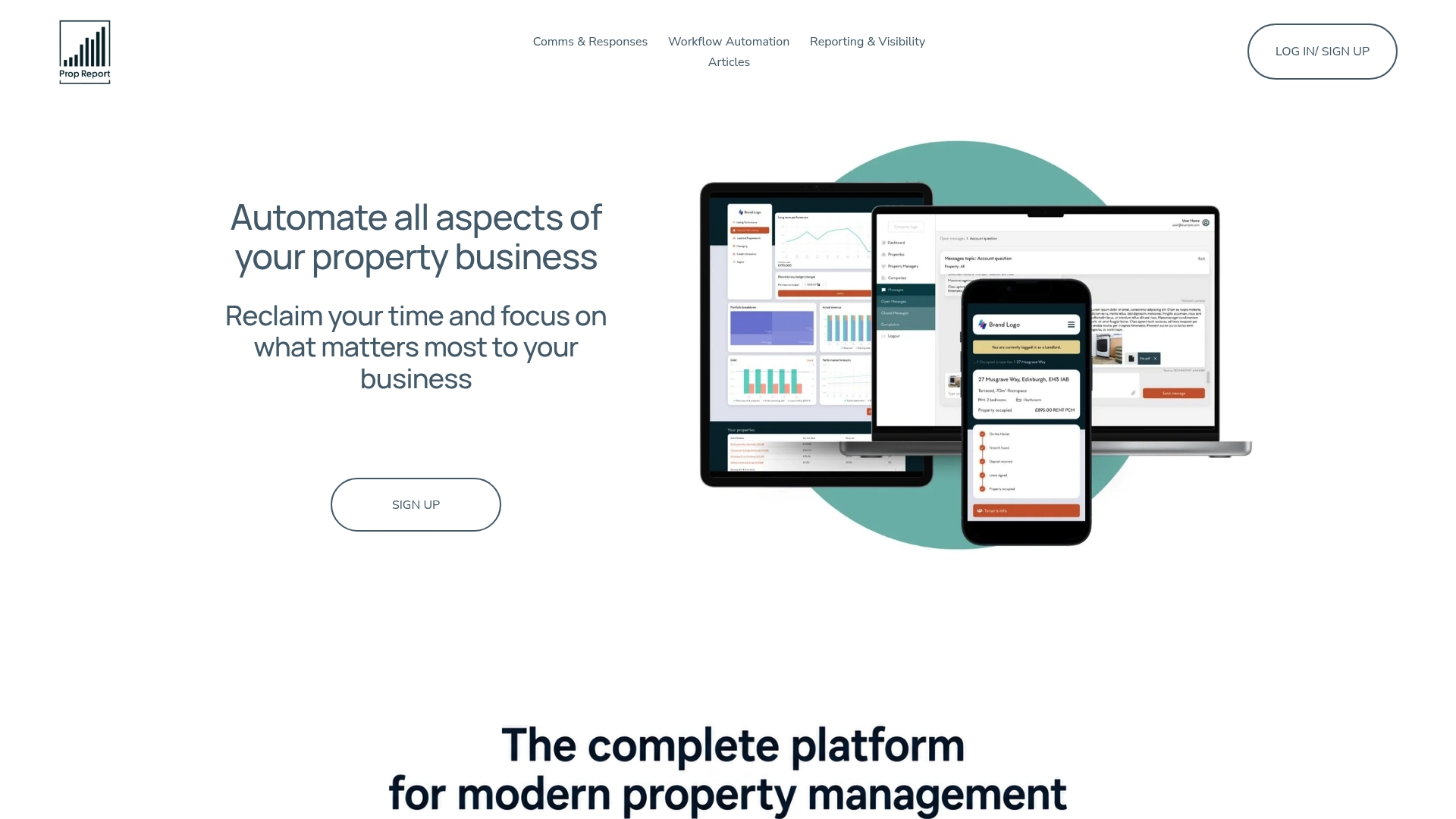
Portfolio size should guide which tier you start with. Smaller operations tend to fit the Individual or Starter plans, while teams managing multiple owners and heavier communication volumes usually get more value from Growth or Scale. Every plan uses unlimited users rather than seat-based pricing, so adoption during rollout doesn't cost extra per person trained. If you're weighing a switch, take a look at how Propreport's platform handles day-to-day workflow automation and book a demo to see how a phased onboarding would map onto your own portfolio.
Where to go for deeper implementation checklists
The PM Square implementation roadmap lays out the discovery-to-support phase sequence in more procedural detail than covered here, useful if you want a week-by-week template. Rioo's transition tips go deeper on the specific data-quality failures that derail migrations, worth reading before you start your own data audit. For a real-world timeline benchmark, Lotly's migration case study walks through an actual six-week rollout on a 1,200-lot portfolio, including where the plan slipped and how the team recovered.
Sources
- Beyond the Demo: How to Successfully Implement New Property Management Software
- Switch Property Management Software: Migration Plan | Lotly
FAQ
What software do most property management companies use?
There's no single system every company uses. Larger firms tend toward established platforms with strong accounting depth, while smaller and mid-sized operations increasingly favour tools that automate reporting and connect directly to their existing CRM, which is where platforms like Propreport fit for firms consolidating multiple tools into one workflow.
What software can I use to manage my property portfolio?
The right choice depends on portfolio size, whether you need trust accounting, and how much of your communication already runs through SMS or WhatsApp. Run the build versus buy checklist covered above before comparing specific products, since your requirements list should drive the shortlist, not the other way round.
What is the best software for managing rental properties?
There's no universal best option. It depends on whether your priority is owner reporting accuracy, maintenance coordination, or financial reconciliation speed, so match the platform's strengths against the three to five success metrics you set during discovery.
How much does property management software implementation cost?
Costs vary by portfolio complexity and typically include the subscription, onboarding, data migration and training. Propreport's plans range from £10 per month for Individual up to £525 per month for Pro, with a one-time setup fee of £0 to £250 depending on configuration needs.
How long should a data migration take?
For a medium-sized portfolio, a well-planned migration with a proper pilot and parallel run can be completed in roughly six weeks. Larger or more complex portfolios with multiple entities or trust accounting typically need three to six months to migrate safely.