

A property portfolio dashboard pulls rent rolls, expenses, occupancy and valuations from every property you manage into one live view, so nothing depends on a spreadsheet someone forgot to update. It exists for investors, landlords and managers running more than a handful of units. The main payoff is speed: you spot a void, an arrears spike or a maintenance backlog the day it happens, not at the next quarterly review.
TL;DR:
- Automated data integration and validation are essential to ensure the dashboard shows accurate, reconciled figures from multiple sources like PMS, accounting, and spreadsheets.
- The most critical KPIs for users are a small set of role-specific numbers, such as ROI or cash flow for owners and occupancy or arrears for managers, which should be prioritized first.
- Mobile accessibility requires real-time, synchronized data across devices, with role-based permissions and push alerts, to enable timely decision-making on-site and between meetings.
- Building a dashboard with a single primary KPI initially helps prevent feature overload and ensures it aligns with user decision-making needs.
- Using a managed platform like Prop Report reduces ongoing maintenance by directly connecting to existing systems, providing real-time insights and secure owner reporting.
Table of Contents
- What is a property portfolio dashboard and what problems does it solve?
- Which metrics actually belong on a portfolio dashboard?
- Where does the data come from and how do you keep it accurate?
- How should you lay out charts, maps and alerts?
- How do you actually build one: templates versus platforms?
- How Prop Report tackles the reporting and data problems above
- What mistakes make a dashboard misleading rather than useful?
- Can you check your portfolio from a phone, and does it stay in sync?
- Author's practical priorities when building or buying a dashboard
- Ready to see a governed dashboard running on your own portfolio?
- Sources
- FAQ
What is a property portfolio dashboard and what problems does it solve?
A property portfolio dashboard is a single screen that consolidates rental income, costs, occupancy and asset value across every property you hold, replacing the patchwork of spreadsheets and PDF statements most portfolios still run on. It exists because the alternative, chasing figures across separate accounting files, letting agent reports and bank statements, wastes hours and hides problems until they're expensive.
Most dashboards serve three overlapping audiences with different needs. An owner wants a clean summary of returns and cash flow. A property manager needs operational detail: which units are vacant, which tenants are late, what maintenance is overdue. Operations teams sit somewhere between the two, watching compliance deadlines and contractor schedules.
Underneath the visuals sits a data flow that determines whether any of it can be trusted:
- Raw feeds arrive from lettings systems, accounting software and spreadsheets
- A governed data layer maps each feed to a consistent chart of accounts
- Validation rules catch mismatches before they reach the screen
- Only reconciled figures pass through to the visual layer
Skip that middle step and you get a dashboard that looks polished but reports two different numbers for the same property, which is worse than no dashboard at all.
Which metrics actually belong on a portfolio dashboard?
Every portfolio dashboard needs a small set of numbers that decide what happens next, not a wall of charts nobody reads. Split them into financial and operational groups, because mixing them without hierarchy is how dashboards become noise.
Financial KPIs:
- Rental income (actual versus contracted)
- Operating expenses, broken down by category
- Net operating income (NOI)
- Cash flow after debt service
- Return on investment (ROI) at property and portfolio level
Operational KPIs:
- Occupancy rate and void periods
- Arrears as a percentage of rent due
- Maintenance backlog, aged by ticket
Valuation indicators and trend lines matter too, particularly rolling comparisons that show whether NOI is climbing or eroding over several quarters rather than one snapshot.
Pro Tip: Pick one primary KPI per role before you build anything else. An owner's primary KPI is usually ROI or net cash flow; a manager's is usually occupancy or arrears. Building the dashboard around a single number first stops the whole project sprawling into forty tiles nobody checks.
Research from consultancies advising large landlords on real estate portfolio management points to the same pattern: portfolios that integrate data and analytics into a single decision layer make faster strategic calls than those relying on periodic manual reports.
Where does the data come from and how do you keep it accurate?
A portfolio dashboard is only as good as what feeds it, and most portfolios have data scattered across four or five systems that were never designed to talk to each other.
The common sources are:
- Property management software (PMS), holding tenancy, rent and maintenance records
- Accounting platforms, holding invoices, payments and cost categories
- CRM systems, holding tenant and owner communication history
- Market APIs, feeding comparable valuations and rental benchmarks
- Spreadsheets, still holding the odd legacy portfolio nobody has migrated yet
Getting these into one dashboard means choosing an integration method: a direct API connection for live syncing, an ETL process that batches and cleans data on a schedule, or manual CSV imports for smaller portfolios that don't justify automation yet.
Whichever route you pick, the step that actually protects you is a governed data layer, a rules engine that maps every feed to a master chart of accounts and flags mismatches before they hit the screen. Datagrid's work on portfolio performance reporting treats this validation and reconciliation step as essential for any manager overseeing multiple properties or owners, because unreconciled figures erode trust in the dashboard faster than any design flaw.
Before you visualise anything, run a short data-hygiene pass: confirm every property has a unique ID, check date formats match across sources, and reconcile at least one full month of figures by hand against source documents.
How should you lay out charts, maps and alerts?
Layout should follow the reader, not the data. An owner opening the dashboard wants three or four headline tiles and a trend line, not a wall of operational detail meant for a property manager.
Effective portfolio dashboards tend to lean on a consistent set of visual patterns:
- A portfolio map, plotting properties geographically with value or occupancy overlays
- KPI tiles for the two or three numbers each role checks first
- Time series charts showing NOI, occupancy and arrears trends over rolling periods
- Sparklines comparing individual properties side by side within the portfolio
Map-based views work particularly well once a portfolio spans multiple towns or regions, since spotting a cluster of underperforming assets on a map is faster than scanning a table. Atlas's map-based dashboard template demonstrates this pattern directly, overlaying value and occupancy data onto property locations.
Colour and threshold rules matter more than most people expect.
| Element | What it's for |
|---|---|
| Portfolio map | Spotting geographic clusters of under or overperformance |
| KPI tiles | Surfacing the two or three numbers a role checks first |
| Trend charts | Showing direction of travel over multiple periods |
| Threshold alerts | Flagging a specific, predefined problem, not just a dip |
| Exportable reports | Producing investor-ready summaries on demand |
How do you actually build one: templates versus platforms?
Most people start smaller than they think they need to, and that's usually the right call.
The prototype route means a spreadsheet or a template tool like Notion's property portfolio dashboard template. This gets you a working view in an afternoon and is genuinely useful for proving the concept to stakeholders or investors before anyone commits budget. The limitation shows up the moment a second person needs to enter data, because spreadsheets have no reconciliation logic and no permissioning.
The BI route uses a platform like Power BI, connecting to accounting and PMS data sources to build repeatable, interactive reports. This scales further than a template but still depends on someone maintaining clean, governed data behind it, BI tools visualise what you feed them; they don't validate it.
The managed platform route consolidates integrations, validation and reporting into one system built specifically for property portfolios, removing the maintenance burden of stitching connectors together yourself.
Whichever path you choose, run through the same checklist before going live:
- Map every data field to a single source of truth
- Decide refresh cadence (real time, daily, weekly)
- Set role-based permissions before anyone else logs in
- Get sign-off from at least one owner and one manager on what "done" looks like
How Prop Report tackles the reporting and data problems above
Every gap covered so far, patchy integrations, unreconciled figures, dashboards that only one person understands, is precisely what Prop Report was built to close for property managers running multiple owners and assets.
- The platform automates data reporting and connects directly with existing CRM and accounting systems, so figures don't need manual re-entry between platforms
- It generates real-time property insights through a centralised owner portal, giving owner visibility without a phone call to their manager
- It holds recognised international standards for information security management, which matters when a dashboard is handling rent, tenant and financial data across multiple properties
None of that replaces good data discipline on your end. But it does mean the governed layer and integration work described earlier arrives largely built, rather than something you assemble from scratch across five disconnected tools.
What mistakes make a dashboard misleading rather than useful?
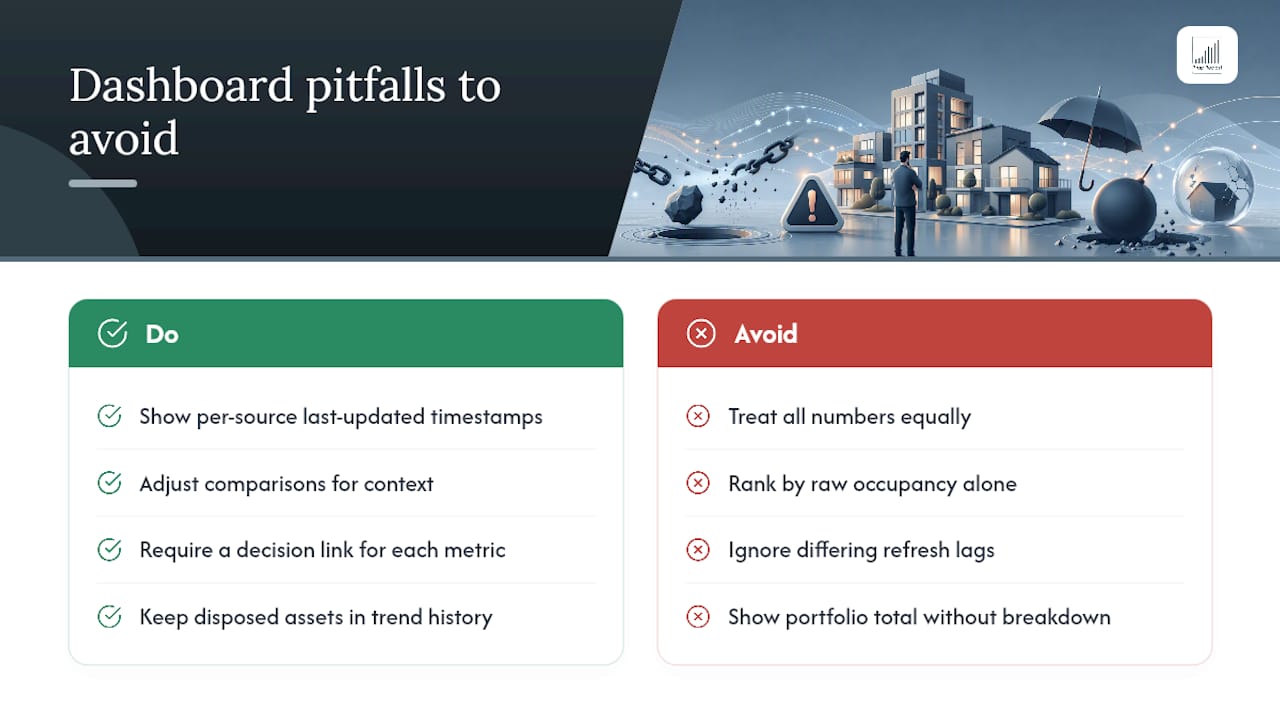
The most common failure isn't a technical one, it's treating every number on screen as equally reliable. A dashboard pulling live PMS data alongside a manually updated spreadsheet will happily display both with identical confidence, and nothing on screen tells you which figure to trust less.
Comparing NOI or occupancy across properties without adjusting for context is another frequent trap. A property mid-refurbishment will show a temporary occupancy dip that has nothing to do with management quality, and a dashboard that ranks properties by raw occupancy alone will flag it as underperforming when it's simply between tenants for a planned reason.
Refresh lag causes a quieter version of the same problem. If rent data updates daily but maintenance costs sync weekly, a dashboard viewed on the wrong day shows a NOI figure that's technically accurate for neither period. Always check the "last updated" timestamp on each data source, not just the dashboard as a whole.
Vanity metrics dilute focus too. A tile showing total portfolio value looks impressive but tells you nothing actionable if it isn't broken down by property and compared against acquisition cost or debt. The fix is the same one covered under key metrics: decide what decision a number needs to support before it earns a place on the screen.
Finally, watch for survivorship bias in trend charts. If underperforming properties get sold and removed from the portfolio view, the remaining trend line will look artificially healthy. A dashboard that quietly drops historical data on disposed assets is hiding exactly the information that would tell you whether past decisions worked.
Can you check your portfolio from a phone, and does it stay in sync?
Most portfolio management now happens between viewings, meetings and site visits, which makes mobile access less of a nice-to-have and more of a baseline requirement. A dashboard that only works properly on a desktop browser will get checked once a week instead of once a day, and the gap between those two habits is where problems get missed.
The practical test isn't whether a dashboard has a mobile app, it's whether the same figures appear identically whether you open it on a laptop at your desk or a phone on-site. Cross-device synchronisation means a maintenance ticket logged by a contractor on-site updates the same record an owner sees on their tablet an hour later, without a manual export or a delayed batch update.
Role-based permissioning becomes more important on mobile, not less, since a phone is more likely to be shared, lost or glanced at in public. A manager checking arrears figures on a train shouldn't be one tap away from another owner's financial detail.
Push alerts are where mobile access earns its place properly. That immediacy is the real argument for real-time property insights over a dashboard that only gets checked when someone remembers to open it.
Author's practical priorities when building or buying a dashboard
Start with one KPI and its data feed, not forty tiles. Test the first version with the people who'll actually use it daily, and expect to rebuild the layout at least once after watching them ignore half of it. Fix data governance before design, a beautiful dashboard built on unreconciled figures just makes bad numbers look convincing.
— James
Ready to see a governed dashboard running on your own portfolio?
If you've been weighing up a Notion template against a full BI build, the honest answer is that both routes eventually hit the same wall: someone has to maintain the integrations and reconcile the data by hand. This platform removes that maintenance burden by connecting directly to existing CRM and accounting systems, automating the reporting layer that templates and spreadsheets can't handle once more than one person is entering data.
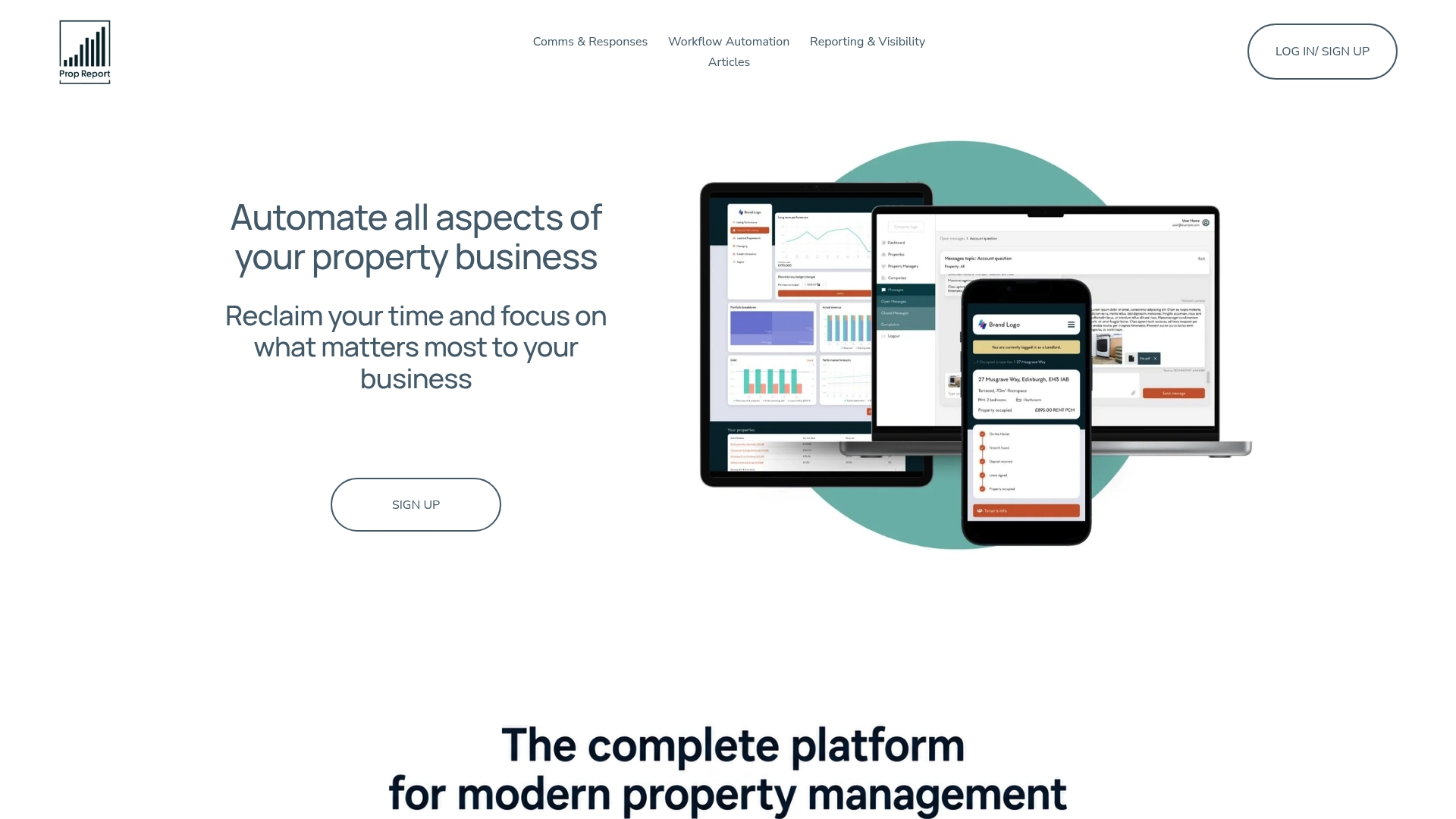
What you'd see in a demo is your own portfolio's occupancy, arrears and NOI figures consolidated into one owner-facing view, backed by ISO 27001-certified data handling, with alerts set up for the thresholds that matter to your properties specifically. If you manage rentals for multiple owners, the landlord-facing features are worth a look too, since owner visibility tends to be the piece most managers underinvest in until it becomes a communication problem. Book a demo through Prop Report's platform page to see your own data running in it, rather than a sample portfolio.
Sources
For further reading: Power BI's connector-based dashboards, the Notion portfolio template, Atlas's map-based dashboard, and GoodData's real estate dashboard examples.
- AI agents and portfolio performance reporting (Datagrid blog)
- Power BI — Microsoft
- Property portfolio dashboard template — Notion
FAQ
What is a property portfolio dashboard?
It's a single consolidated view of rental income, expenses, occupancy and valuation data across every property in a portfolio, replacing separate spreadsheets and reports with one live source of truth.
What is the 2% rule for property?
It's a rough screening guide suggesting monthly rent should equal roughly 2% of a property's purchase price for a potentially strong cash-flow investment, though it's a starting filter rather than a definitive measure and varies significantly by market.
What is the best real estate portfolio app?
The right choice depends on portfolio size and complexity: small portfolios often start with a template like Notion's, larger ones benefit from a BI tool like Power BI, and managers running multiple owners typically need a managed platform such as Prop Report that automates integrations and reconciliation.
What is a property portfolio?
A property portfolio is the full collection of real estate assets, residential, commercial, or mixed, that an investor, landlord or management company owns or manages as a group, tracked collectively rather than property by property.
How often should portfolio dashboard data refresh?
It depends on the metric: occupancy and maintenance tickets benefit from real-time or daily updates, while valuation and long-term trend data can reasonably refresh weekly or monthly without losing usefulness.