

A purchase order workflow property is a configurable rule, such as a start condition, approval threshold, recipient assignment or custom attribute, that determines how a PO moves from request to payment. Set correctly, these properties give property teams control over spend, a full audit trail, and approvals that clear in hours rather than days instead of sitting in someone's inbox for a week.
TL;DR:
- Properly configured PO workflow properties should include clear role assignments, mandatory data fields such as property code and supplier ID, and appropriate approval thresholds based on spend data.
- Approval bottlenecks often result from assigning all high-value POs to a single approver and neglecting data accuracy, especially in supplier master records.
- Automation reduces manual processing time and exception rates, with typical pilot projects handling several hundred invoices monthly within weeks.
- Regularly review approval thresholds, ensure mandatory fields are enforced, and track performance metrics like time-to-approve and exception rates to optimize workflows at scale.
Table of Contents
- What is a purchase order workflow property in practice?
- What are the steps in a purchase order workflow?
- Why do most PO workflow properties fail in practice?
- How do SAP and Dynamics 365 configure PO approval workflows?
- How does PO workflow automation work for property portfolios?
- What are the best practices for scaling PO workflows?
- What implementers get wrong when tuning these settings
- How Prop Report speeds up PO workflow automation for property teams
- Sources
What is a purchase order workflow property in practice?
A purchase order workflow is the sequence a spend request follows from creation to payment, and its "properties" are the rules that govern that sequence at each step. Get the components right before you touch a single approval rule, because a workflow built on unclear ownership or missing data fields breaks the moment volume increases.
Roles and stakeholders
Every property PO workflow needs clearly assigned people, not just job titles on an org chart. The requestor initiates the spend, usually a site manager or maintenance coordinator responding to a repair or renewal. A purchasing manager or budget holder checks the request against contract terms and available budget. An approval chain, sometimes one person, sometimes three, signs off according to value and category. Accounts payable (AP) reconciles the invoice against the PO once goods or services arrive, and a receiving contact, often the same site manager or a dedicated inspector, confirms the work was actually done.
Data fields that must exist before rules can work
Workflow rules are only as good as the data behind them. The essential fields for a property-focused PO include:
- Company code or entity, for portfolios spanning multiple legal structures
- Supplier ID, matched against a verified supplier master record
- Property code, identifying exactly which building or unit the spend relates to
- Cost centre or GL mapping, so spend lands in the correct ledger account automatically
- PO net amount, the figure that most approval thresholds hinge on
Without a mandatory property code field, you cannot allocate costs accurately across a portfolio, and reconciliation later becomes guesswork.
System touchpoints
The workflow rarely lives in one place. It typically spans an ERP or property management platform holding the PO record, an AP capture and extraction layer that reads incoming invoices, a vendor portal or email channel where suppliers submit invoices, and a task card or inbox interface where approvers actually make decisions. SAP S/4HANA's flexible workflow exposes custom attributes directly on that task card, so an approver sees the property code and net amount without opening the underlying ERP record. That single design choice removes a surprising amount of friction from daily approvals.
What are the steps in a purchase order workflow?
The PO lifecycle runs through five stages, and each one needs its own set of workflow properties configured deliberately rather than left on default settings.
- Initiation. Define who can create a PO (restrict this to trained requestors), make the property code and supplier ID mandatory fields, and set a start condition that blocks submission unless the supplier passes a verification check. This single rule stops a huge share of downstream mismatches before they happen.
- Approval. Choose step types (sequential, parallel, or a mix) and set recipient determination rules based on business role, cost centre, or property portfolio rather than naming individuals, which breaks the moment someone changes job. Add time limits, typically 24 to 48 hours per step, with automatic escalation if nobody acts. Configure automatic approval for POs below a defined value band so trivial spend clears itself.
- PO issuance. Once approved, the system should auto-generate the formal PO number, sync it to the ERP or accounting platform, and fire a notification to the vendor. Manual issuance at this stage is almost always where delays creep back in.
- Goods receipt and three-way match. Capture confirmation that goods or services arrived, matching the receipt against the PO and, eventually, the invoice. Set a matching tolerance, property automation guidance suggests starting conservatively at 2% to 5%, and route anything outside that band to an exception queue rather than blocking the whole payment run.
- Invoice match and payment. The invoice, PO and receipt reconcile automatically within tolerance; anything that fails routes to a human for review, and posting to the ledger happens only after that exception clears.
Pro Tip: Set your auto-approval threshold using last year's PO data, not a guess. Pull the median PO value for your portfolio and set the automatic approval band just above it. You will remove the majority of trivial approvals from senior desks without loosening control on anything that actually matters.
Cloud ERP suites already model this lifecycle explicitly. NetSuite's basic PO approval template initiates on PO creation and moves the record through defined states, Pending Approval, Approved, Rejected, with clear transitions between each. Mirror that state model even if you build your workflow in a different platform; it keeps everyone's mental picture of "where is this PO right now" consistent.
Why do most PO workflow properties fail in practice?
Most failures trace back to a handful of configuration choices made early and never revisited.
Over-wide approver assignments create bottlenecks. Assigning every PO above a moderate threshold to a single regional manager feels safe, but it guarantees that manager becomes the queue everyone waits behind. The fix is tiered approval bands with named backups and automatic escalation after a set time limit, so a delayed approver never stalls an entire property's maintenance schedule.

Poor supplier data causes PO-to-invoice mismatches. If the supplier master record has a stale bank detail or a duplicate entry under a slightly different name, the invoice that arrives will not match the PO cleanly, and AP ends up manually chasing the discrepancy. Property portfolios feel this more acutely than most businesses because invoice matching for multi-property operators has to include property identifiers and allocation math, splitting a single invoice correctly across several buildings. Enforcing supplier verification at PO creation, not after the invoice lands, is the only reliable fix.
Retroactive POs undermine the entire control. A retroactive PO is one raised after the spend already happened, usually because someone bought first and asked forgiveness later. It defeats the purpose of having a workflow at all since there is nothing left to approve except a fait accompli. Enforce a start condition that blocks PO creation for dates in the past, and pair it with a lightweight emergency-spend exception process so genuine urgent repairs still have a legitimate route.
Weak field enforcement kills your audit trail. If property code, cost centre and approver sign-off timestamps are not mandatory, your audit trail has silent gaps that surface exactly when a landlord or auditor asks a pointed question. Make these fields non-negotiable at every stage, not just at initiation.
How do SAP and Dynamics 365 configure PO approval workflows?
Looking at how established ERP platforms structure their flexible workflows gives implementers a template worth copying, without needing to buy either system.
SAP's flexible workflow starts with a condition, commonly company code, purchasing group, or PO net amount, that determines whether the workflow even triggers. From there, SAP's own documentation shows multi-step approvals built around amount bands: a PO under a low threshold might route to one approver, a mid-range amount to two people in sequence, and anything above a senior threshold to a director. Recipients are determined by business role rather than named individual, and custom attributes, the property code among them, appear directly on the approver's task card.
Dynamics 365 takes a more visual approach, using a drag-and-drop workflow designer where each step is a block with configurable conditions and automatic actions attached. Notification settings sit alongside each step, so an approver gets an alert the moment a PO lands in their queue rather than discovering it during a weekly inbox sweep.
The translation for property teams is straightforward: whichever system you use, replicate three things. Set start conditions on property code or portfolio segment, not just amount. Build amount bands that reflect your actual spend distribution rather than round numbers picked in a meeting. And expose the property code as a visible attribute at every approval step, because approvers who see property context directly on the task card make faster, more accurate decisions than those who have to look it up separately.
One data point worth anchoring your thresholds to: process benchmarking frameworks such as APQC's cost-per-process measures exist specifically so you can compare your cost per processed order against a wider baseline once you have workflow data to measure.
How does PO workflow automation work for property portfolios?
Automation for property PO workflows follows a consistent pattern: capture, extract, match, route, post. An invoice arrives by email or vendor portal, an AI extraction layer reads supplier, amount and line-item detail, the system matches that data against the open PO and goods receipt, and anything within tolerance posts automatically. Anything outside tolerance routes to a person.

Property portfolios add a layer most PO systems were not originally built for: a single invoice, a shared roof repair across three units, say, has to split correctly across multiple property codes and post to multiple accounts. Property-specific AP automation handles this by applying GL coding rules automatically at the line-item level rather than forcing a human to divide the invoice manually.
The measurable outcomes are worth stating plainly rather than vaguely gesturing at "efficiency gains":
| Metric | Typical result after automation |
|---|---|
| Monthly manual processing time | Significantly reduced, from many hours to just a few hours |
| Exception rate | Falls to a low percentage of processed invoices |
| Go-live timeline for a pilot | Typically a few weeks |
| Invoice volume handled per pilot | Typically several hundred invoices monthly |
These figures come from a documented property management automation case, and they hold up because the underlying mechanics, capture, extraction, matching, are genuinely mechanical tasks that software handles reliably once supplier data is clean. The human judgement that remains, deciding whether an exception is a genuine problem or a rounding difference, stays exactly where it should: with a person.
What are the best practices for scaling PO workflows?
A workflow that works for fifty POs a month often collapses at five hundred unless you build in the following disciplines from the start.
- Set approval bands that reflect real spend distribution, and auto-approve anything below a sensible low-value threshold to protect senior time for decisions that actually need judgement.
- Attach a time limit, typically 24 to 48 hours, to every approval step, with automatic escalation to a backup approver if nobody acts.
- Treat supplier master data as a governed asset, not a free-text field; duplicate or stale supplier records are the single biggest source of matching failure.
- Make property code, cost centre and GL mapping mandatory at PO creation, never optional, and never patched in later.
- Track time-to-approve, exception rate, and PO-to-invoice match rate monthly, comparing against APQC's process benchmarking where useful.
Pro Tip: Review your approval bands every two quarters, not once a year. Property costs drift with inflation and portfolio growth, and a threshold set two years ago quietly starts routing routine spend to senior approvers who never needed to see it.
What implementers get wrong when tuning these settings
Start with your highest-volume failure mode, not the most theoretically interesting one. If most of your exceptions come from mismatched supplier records rather than approval delays, fix supplier hygiene first; a beautifully tiered approval chain achieves nothing if half the invoices fail matching before they reach it.
Pick one property or one portfolio segment as a pilot rather than rolling changes across the whole estate simultaneously. Limit yourself to one or two configuration changes per sprint, and measure time-to-approve and exception rate before and after each change, so you know which adjustment actually moved the needle.
Clean supplier master data and a working auto-approval band for low-value POs before you widen scope. Everything else, custom attributes, escalation paths, tighter matching tolerances, works better once those two foundations are solid.
— James
How Prop Report speeds up PO workflow automation for property teams
Prop Report replaces the manual chase between spreadsheets, email threads and separate accounting systems with a single platform built specifically for property-level coding, split invoices and multi-account payments. Its AI assistant, Arthur, applies the extraction, matching and routing pattern described above automatically, so approvers see property context and PO detail on one screen instead of hunting across systems.
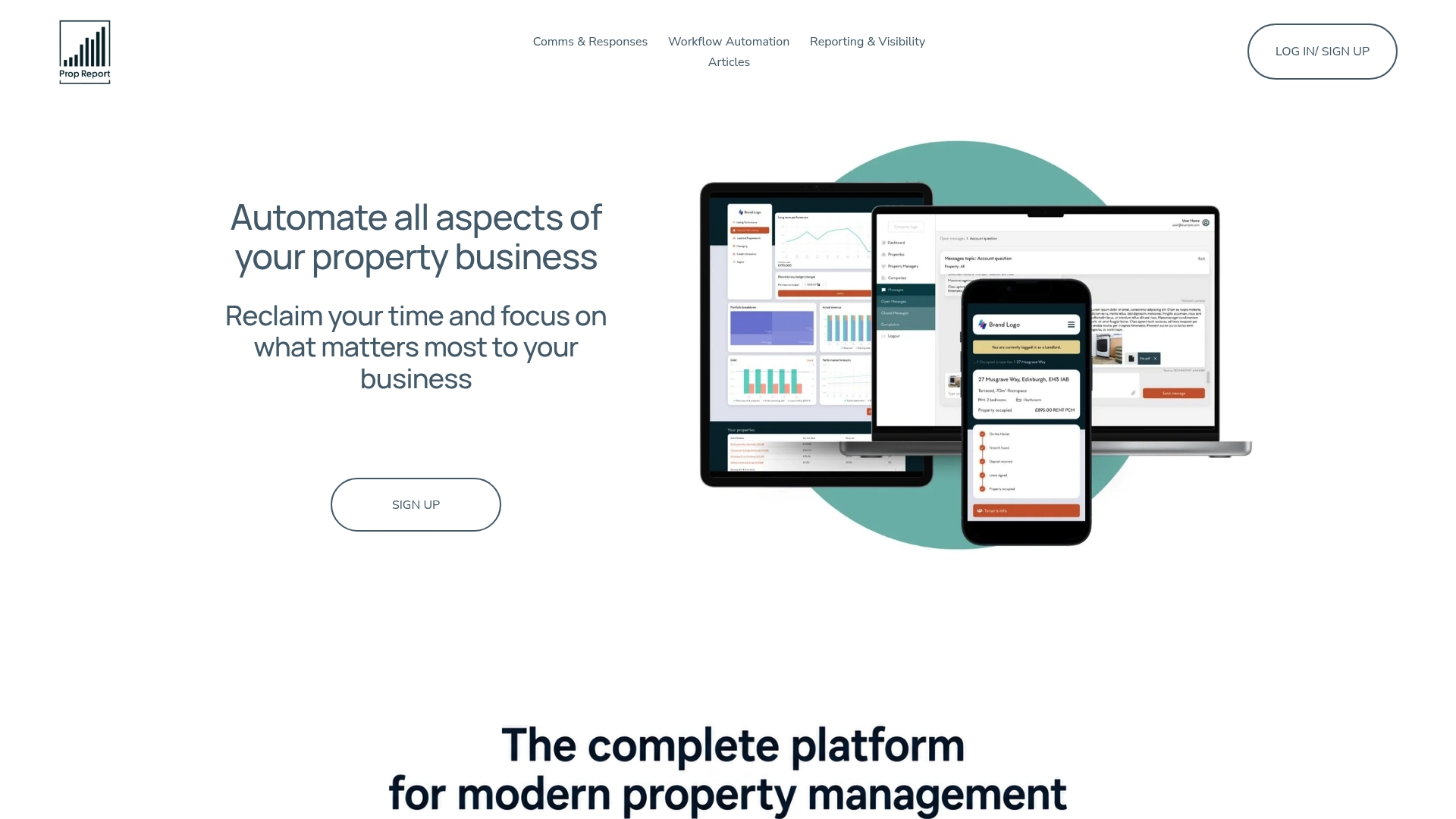
The platform integrates with existing CRM and accounting tools rather than replacing them, and every workflow runs on infrastructure certified to ISO 27001, which matters when your PO data includes supplier bank details and tenant-adjacent financial records. For landlords and portfolio managers weighing whether to build this in-house or adopt a ready platform, the practical question worth asking on a discovery call is how quickly property-level coding and approval thresholds can be configured to match your existing spend bands. Book a demo to see Arthur applied against your own supplier list and PO history.
Sources
- Flexible workflow for purchase order in S/4HANA cloud public edition — SAP Community
- Invoice Automation for Property Management: What It Takes - TenthNode
- APQC benchmarking measures — total cost per process order
- Purchase Order Basic Approval Template — NetSuite documentation
- Numetix