

A rent collection dashboard automates rent tracking, flags late payments before they become arrears, and gives landlords a single view of what has been collected against what was due. The main payoff is fewer hours spent chasing payments manually and better cash flow visibility across a portfolio. If you're weighing up options, the practical next step is to book a demo with sample data on a platform such as Prop Report to see how it handles your actual rent roll.
TL;DR:
- Rent collection dashboards should automate rent schedules, reminders, and reconciliation to reduce manual work and improve cash flow visibility.
- The most critical metrics are the percentage of rent collected against expectations, aged receivables buckets, and delinquency trends over time.
- Reliable data feeds from property management systems, bank accounts, and payment processors are essential for accurate reconciliation and alerts.
- Automating late payment alerts and reminders generally resolves many arrears before manual intervention, saving property managers time.
- Successful implementation depends on clean data, staff training, gradual system integration, and setting realistic performance benchmarks.
Table of Contents
- What features should a rent collection dashboard include?
- Which metrics matter most on a rent arrears dashboard?
- How do you connect a dashboard to your existing systems?
- How does automation reduce arrears and free up your time?
- Which pricing model fits your portfolio size?
- Why Prop Report meets rent collection dashboard requirements
- What implementation challenges should you plan for?
- What does successful dashboard adoption actually look like?
- Does a dashboard work across payment methods and tenant types?
- How to evaluate Prop Report: demo checklist and next steps
- What should landlords realistically expect from a dashboard?
- Sources
What features should a rent collection dashboard include?
A dashboard earns its place in your stack when it removes manual steps, not when it just displays numbers you'd otherwise track in a spreadsheet. The features below are the baseline for any serious rent collection dashboard, whether you manage three flats or three hundred units.
- Automated rent schedules and reminders sent by email, SMS or through a tenant portal, timed to fall before and after the due date rather than only after rent is late.
- Payment processing and reconciliation receipts that confirm a payment has landed and match it automatically to the correct tenancy.
- Bank feed integration so incoming payments reconcile against expected charges without anyone manually checking a statement.
- Arrears tracking with late-fee automation and built-in payment-plan management for tenants working through a shortfall.
- Portfolio and per-property views that let you see the whole book at a glance, then drill into a single building or unit when something looks off.
The reconciliation piece matters more than most landlords expect. A dashboard that only shows scheduled charges without confirming actual receipt is really just a calendar with extra steps. Vendor documentation on rent collection modules commonly shows scheduled collection reports that summarise receipts against charges, which is the mechanism that turns a rent schedule into a genuine rental income tracker rather than a to-do list.
Which metrics matter most on a rent arrears dashboard?
The number that matters first is simple: percentage collected against expected rent for the period. Everything else on a rent arrears dashboard exists to explain that headline figure and tell you where to intervene.
Aged receivables buckets, typically split into 0 to 30, 31 to 60 and 60-plus days, show you how deep individual arrears run rather than just how many tenants owe money. Delinquency counts by property let you spot whether one building is dragging down portfolio performance. Cash received versus charges issued, checked as a reconciliation pair, catches billing errors before they compound. Trend lines across months reveal whether collection velocity is improving or slipping, which single-period snapshots miss entirely.
- Percentage collected versus expected rent, by period and by property
- Aged receivables in defined buckets (0 to 30, 31 to 60, 60-plus days)
- Delinquency counts and their movement month on month
- Cash received against charges issued, reconciled
- Collection velocity trends over rolling periods
Pro Tip: Set an internal benchmark rather than chasing 100% collection every month. Industry tracking from the Independent Landlord Rental Performance Report uses aggregated platform data to show what realistic on-time payment rates look like across portfolios, which gives you a fairer target than an arbitrary internal figure.
Use aged receivables to decide who gets a phone call this week, not just an automated reminder. A tenant in the 0 to 30 bucket usually responds to a nudge; one sitting in 60-plus needs a conversation and, often, a payment plan.
How do you connect a dashboard to your existing systems?
A dashboard is only as reliable as the data feeding it. Three sources matter most: your property management system or ledger exports, your bank feeds, and whichever payment processor or gateway your tenants actually pay through.
- Confirm the connection method first. Some systems offer a direct API, others rely on a connector built by the dashboard vendor, and older setups may only support CSV exports, which means manual uploads until you migrate.
- Map and normalise your charges and receipts. Rent, service charges and fees need consistent categorisation across every property, otherwise your aggregated figures will be meaningless.
- Reconcile bank feeds against ledger entries during a test period before going live, checking that automated matching catches genuine payments without throwing false positives on similar amounts from different tenants.
Automated clearing house systems and bank feed APIs are the underlying mechanism most dashboards rely on for near-real-time payment reconciliation, which is why a shaky bank feed connection undermines everything built on top of it.
Pro Tip: Run a two-week parallel test where the dashboard and your existing spreadsheet both track the same properties. Mismatched references and timing lags between a payment clearing and appearing on a bank feed are the two most common causes of false arrears alerts, and you want to catch both before tenants start getting reminders for rent they've already paid.
How does automation reduce arrears and free up your time?
The real value of a rent collection dashboard shows up in the workflow it replaces, not the dashboard itself. Early-warning alerts flag a tenant as at-risk the moment a payment is late, rather than three weeks later when a manual review finally happens. Automated reminder sequences, escalating in tone as a payment ages, tend to resolve a large share of late payments before anyone picks up a phone.
- Alerts prioritise accounts by arrears age and payment history, not just by how much is owed
- Reminder campaigns escalate automatically from a gentle nudge to a formal notice
- Payment-plan workflows trigger when a tenant misses a second reminder, with a clear handover point to collections if the plan itself lapses
- Owner and accountant reports generate on a schedule, cutting the reconciliation admin that usually falls on a property manager at month end
Cross-system dashboards that pull data from multiple property management platforms are increasingly built to surface at-risk tenants automatically and route them into an outreach sequence without manual triage.
A dashboard alert on day three of a missed payment, followed by an automated SMS reminder and a scheduled call if the tenant hasn't responded by day seven, replaces what used to be a property manager manually checking a spreadsheet once a week and hoping nothing had slipped through.
That handover point between automated reminders and human intervention is where most time gets saved. The system handles the routine chasing; a person only steps in once a case genuinely needs judgement.
Which pricing model fits your portfolio size?
Rent collection dashboards are usually priced in one of three ways: per unit managed, per user with system access, or a flat monthly subscription regardless of portfolio size. Smaller landlords with under twenty units often do better on a flat or low per-unit rate, since a per-user model punishes small teams handling large workloads.
Watch for these signals that you've outgrown an entry-level tool:
- You're managing multiple bank accounts across properties and reconciling them manually
- You run more than one property management system and need normalised reporting across both
- Owners or investors are asking for reports your current tool can't generate without manual rework
- You're paying for integrations as separate add-ons that a higher tier would include
Total cost of ownership includes more than the subscription fee. Factor in integration setup, staff training time, and any per-transaction payment processing charges. A cheaper tool that needs three days of staff training and a manual CSV workaround every month often costs more than a pricier platform that connects natively to your bank feeds and existing systems.
Why Prop Report meets rent collection dashboard requirements
Prop Report is built around the operational reality of managing rent collection across a portfolio, not just displaying figures after the fact. Its ISO 27001 certification matters specifically because tenant financial data, including payment history and bank details, needs a recognised security standard behind it, not a vendor's own assurance.
- ISO 27001-certified data security, giving landlords and property managers a verifiable standard for handling sensitive tenant financial data
- Real-time reporting with CRM and finance integrations, so reconciled figures update automatically rather than waiting for a manual export
- Structured call models for arrears and tenant support, giving property managers a defined process for the human step after automated reminders are exhausted
- AI-driven workflow automation that handles rent scheduling, reminders and reconciliation without a manager rebuilding the process for every new property
The combination of certified security and automated reconciliation is what separates a genuine rent collection dashboard from a glorified spreadsheet with a nicer interface.
What implementation challenges should you plan for?
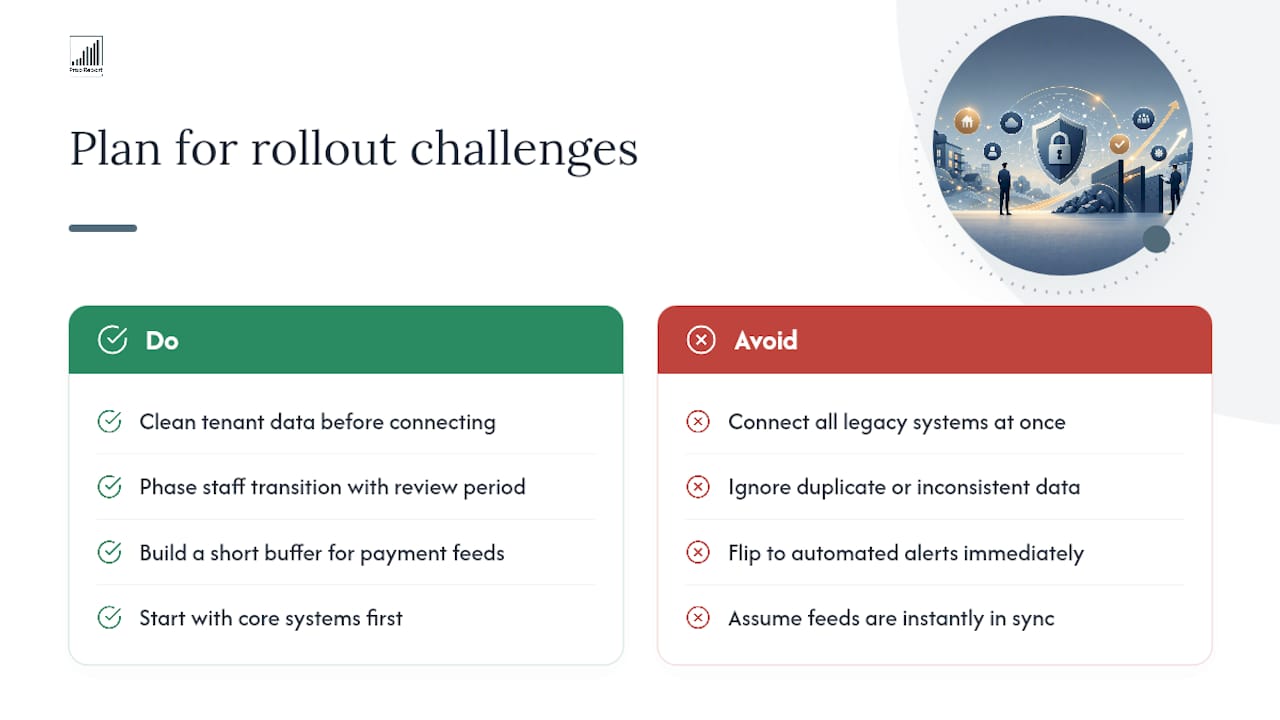
Most dashboard rollouts stall for the same handful of reasons, and none of them are about the software itself. The first is data quality. If your existing rent roll has inconsistent tenant references, duplicate entries, or charges categorised differently across properties, the dashboard will inherit every one of those errors on day one. Clean your data before connecting anything, not after.
The second challenge is staff resistance. A property manager who has run arrears chasing manually for years will not automatically trust an automated alert over their own judgement. Give staff a transition period where they review automated flags before acting on them unsupervised, rather than switching over on a single day.
Timing mismatches between systems cause a third common headache. A payment might clear in a bank feed two days before it appears in a property management system export, which triggers false arrears alerts if the dashboard isn't configured to allow for that lag. Building in a short buffer window before an alert fires solves most of this.
Finally, integration scope creep derails timelines. Teams often try to connect every legacy system simultaneously instead of starting with the highest-volume property management system and bank feed, then adding secondary integrations once the core reconciliation is proven reliable. User reviews on software marketplace sites consistently flag onboarding support quality as the deciding factor between a smooth rollout and a stalled one, which is worth checking before you commit to a platform.
What does successful dashboard adoption actually look like?
The clearest sign of successful adoption isn't a lower arrears figure in month one. It's a property manager who stops manually checking a bank statement every morning because the dashboard already told them what cleared overnight.
Portfolios that run multiple property management systems tend to see the biggest shift, because a unified dashboard normalising data across systems replaces what was previously several separate spreadsheets nobody fully trusted. Before adoption, reconciling collections across two or three back-office systems often meant a manager manually exporting figures from each and rebuilding a combined view by hand every month. After adoption, that combined view exists automatically, updated in real time rather than reconstructed from scratch.
Smaller landlords see a different but equally real benefit: fewer awkward conversations. When a dashboard flags a tenant as three days late with an automated reminder already sent, the landlord's own phone call, if it's needed at all, starts from a position of "I see you've missed the second reminder" rather than an accusatory opening. That shift in tone, from confrontational to procedural, tends to preserve landlord-tenant relationships better than manual chasing does.
The pattern across successful rollouts is consistent: adoption sticks when the dashboard replaces a specific manual task the team already hated doing, rather than being introduced as a general reporting upgrade nobody asked for.
Does a dashboard work across payment methods and tenant types?
A rent collection dashboard is only useful if it accommodates however your actual tenants prefer to pay, not just the payment method you'd prefer they use. Direct debit and standing orders remain the most common route for long-term tenants, and a dashboard needs to reconcile these automatically against bank feeds without requiring a tenant to do anything differently each month.
Card payments and open banking transfers through a tenant portal suit tenants who want to pay on a specific date or who move between properties often, such as younger renters or those in shorter tenancies. A dashboard that only supports one payment route will always leave a segment of tenants defaulting to bank transfers that need manual matching, which defeats the purpose of automation.
Cash and cheque payments haven't disappeared entirely, particularly among older tenants or in certain regional markets, and a dashboard needs a manual entry option that still feeds into the same reconciliation and reporting flow rather than existing as an exception handled outside the system.
The practical test isn't whether a platform supports every payment method in theory. It's whether each method flows into the same arrears tracking and reporting view without a property manager manually reconciling one payment type differently from the rest. A dashboard that treats direct debit, card payments and manual entries as separate workflows just relocates the admin burden rather than removing it.
How to evaluate Prop Report: demo checklist and next steps
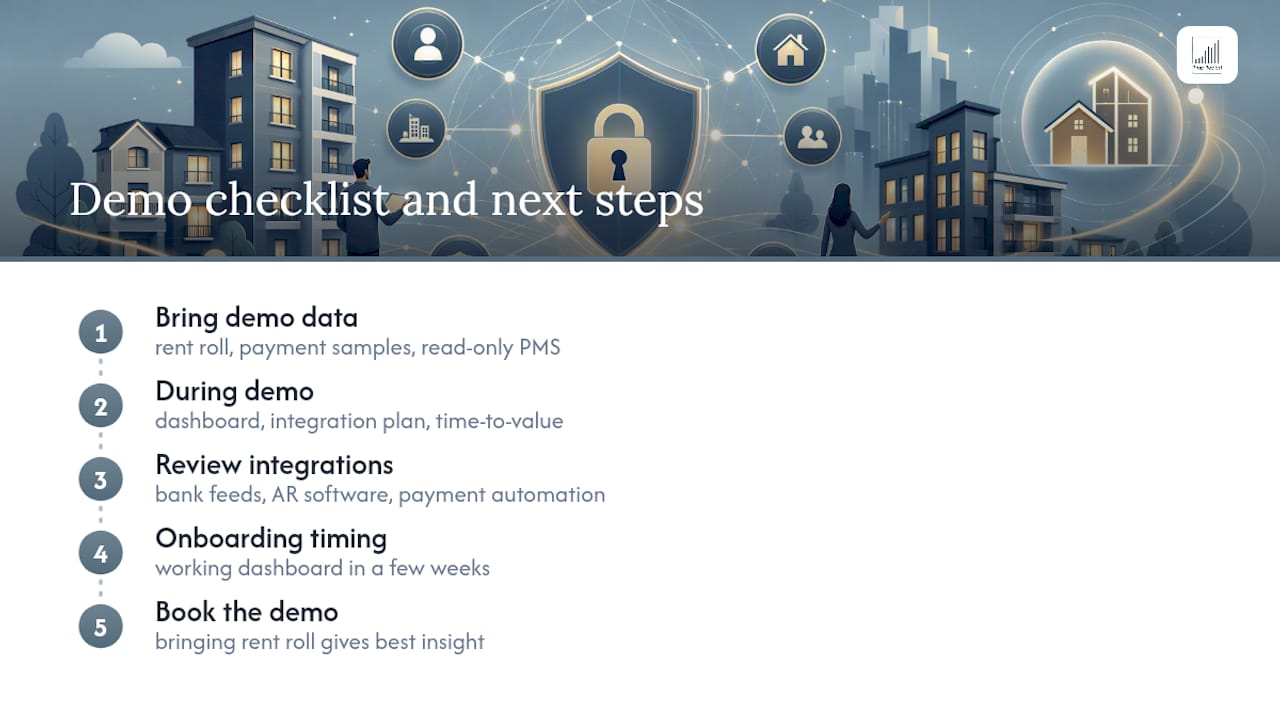
Getting real value from a demo means showing up with your actual data, not a hypothetical scenario. Bring your current rent roll, a few months of sample payment statements, and read-only access to your existing property management system if you can arrange it. That lets Prop Report show you exactly how your own tenancies, arrears and reconciliation would look on the platform, rather than a generic walkthrough.
During the demo, expect a walkthrough of the dashboard itself, a proposed integration plan for your specific bank feeds and property management system, and a realistic estimate of time-to-value, meaning how long before the platform is reconciling live data without manual oversight. Prop Report's automated workflow tools are designed to handle rent scheduling, reminders and reconciliation from day one rather than requiring months of configuration first.
For landlords managing everything from a handful of properties, a broader look at portfolio management tools shows how the reporting and communication features tie together beyond rent collection alone. If your accounting setup involves external accounts receivable software, it's worth reviewing how payment automation tools generally handle reconciliation before your demo, so you can ask specific integration questions.
Onboarding timelines vary by portfolio complexity, but most landlords move from demo to a working dashboard within a few weeks once bank feeds and property management system access are confirmed. Book a Prop Report demo and bring your rent roll. That single step tells you more than any feature comparison could.
What should landlords realistically expect from a dashboard?
Dashboards genuinely cut the hours spent chasing rent and resolving disputes over who paid what and when, but that benefit only materialises once your underlying data is clean. Bad tenant references or inconsistent charge categories will produce false alerts long before they produce useful ones.
Staff training matters more than most rollouts budget for. A dashboard is an operational tool that changes how a property manager works day to day, not a reporting layer bolted onto existing habits. Treat it that way from the outset, and the arrears reduction follows.
— James
Sources
- Automated clearing house — Wikipedia
- Independent Landlord Rental Performance Report: July 2026
- AI delinquency dashboard & alerts for multifamily | Frontdesk
- Rental property management software shortlist — Capterra