

The most reliable way to run scheduled reports property management teams can trust is a rule-driven schedule tied to system integrations and a hard month-end trigger, not a calendar reminder to "send the statement." Owner statements carry the highest stakes of any recurring report, and platforms such as Prop Report exist to automate that pipeline, with ISO 27001 certification as a baseline trust signal. Your next move is simple: pick the report type you'll automate first and define the month-end trigger that releases it.
TL;DR:
- Automating owner statements should be triggered a few days after month-end, not on the first; this allows time for ledger and transaction completion.
- Reliable data flow for reports depends on integrating accounting, maintenance, and tenancy systems, with real-time API links preferred but requiring setup.
- Combining calendar-based schedules with event-driven alerts prevents duplicate notifications and ensures urgent issues are addressed promptly without confusion.
- Delivery formats like portal links provide better tracking and security compared to email PDFs, which are harder to verify and scale effectively.
- An exception review process is essential to prevent incorrect figures from reaching owners, requiring human validation before reports are finally released.
Table of Contents
- How do you define reporting rules and choose the right cadence?
- What data flow does a scheduled report actually need?
- How do you combine calendar schedules with event-driven alerts?
- Which delivery channel and format actually works?
- What exception rules stop bad data from reaching owners?
- How do you protect data and meet retention requirements?
- How do you test and monitor scheduled reports before going live?
- Which report types should property managers schedule first?
- Does automated reporting actually improve compliance and audit readiness?
- How do you customise reports for different stakeholders?
- Author perspective: what actually moves the needle
- Try Prop Report for scheduled owner and operational reporting
- Key docs and vendor pages worth bookmarking
- Sources
- FAQ
How do you define reporting rules and choose the right cadence?
Every report type has a natural rhythm, and forcing the wrong one onto it is where most automation projects go wrong. Monthly owner statements need a month-end trigger, not a fixed calendar date, because rent postings, maintenance invoices and bank reconciliations rarely finish on the same day twice. Weekly operational summaries (occupancy, arrears, open work orders) suit a fixed weekly send since managers need a steady cadence rather than event precision. Daily or on-change alerts belong to anything urgent: a failed rent payment, a safety-critical repair, a lease about to lapse.
Buildium's own guidance recommends scheduling owner statements a few days after month-end, once the ledger has had time to close properly, rather than on the first of the month when late transactions are still landing.
A workable cadence map looks like this:
- Owner statements — monthly, triggered a few days after ledger close
- Occupancy and rent collection summaries — weekly, fixed day (e.g. every Monday morning)
- Maintenance status reports — weekly or biweekly, depending on portfolio size
- Lease expiry alerts — 90, 60 and 30 days before expiry, event-triggered
- Compliance and safety checks — monthly, plus immediate alert on failure
What data flow does a scheduled report actually need?
A report is only as good as the systems feeding it, and most delivery failures trace back to a broken upstream connection rather than the report tool itself. Four sources typically feed a full reporting pipeline: the accounting or ledger system (rent, fees, disbursements), maintenance management (job status, invoices), tenancy records (lease dates, arrears, deposits), and any booking or channel data for short-let portfolios.
Three integration options exist, each with trade-offs:
- API integration — real-time, most reliable, but requires initial setup and ongoing maintenance
- Scheduled export/import — simpler to build, but introduces a lag between systems
- Middleware or connector platforms — bridges systems that don't talk directly, at the cost of another moving part
Before any automated send, run a validation pass: check transaction counts against the prior period, confirm no negative balances slipped through, and verify every property has a matching owner record.
Pro Tip: Build one rule into every schedule: if the validation check fails, the report routes to an exception queue instead of a recipient's inbox. A wrong number sent automatically damages trust faster than a report sent a day late.
How do you combine calendar schedules with event-driven alerts?
Calendar triggers suit predictable, cyclical reporting. Event triggers suit anything time-sensitive where waiting for the next scheduled run would leave an owner or tenant in the dark. Getting the mix right means three things:
- Reserve calendar runs for statements, occupancy summaries and compliance checks where a fixed rhythm builds trust.
- Reserve event triggers for genuinely urgent items: a bounced rent payment, an emergency repair, a lease hitting its 30-day expiry window, or a large unapproved invoice.
- Build a deduplication rule keyed to report ID and event timestamp, so an owner never receives two messages about the same underlying event just because a calendar run and a trigger overlapped.
Without that third step, portfolios running both trigger types tend to double up on urgent maintenance alerts within the first few weeks, which trains owners to ignore notifications altogether.
Which delivery channel and format actually works?
The format matters as much as the schedule. Email PDF attachments feel familiar but are hardest to track once sent, and heavy attachments to long recipient lists increase the chance of bounces. A portal link solves tracking cleanly, since you can see whether an owner has actually opened the statement, but it adds a login step some owners resist. An in-product dashboard suits operational users who check data daily rather than monthly.
Google's Data Studio documentation notes that scheduled PDF/email delivery carries real limits: free-tier accounts are capped on schedules per report and daily recipient maximums, and features like multiple schedules or an on-demand "send now" option sit behind a paid tier. That's a useful reminder that whatever platform you use, delivery limits are a design constraint, not an afterthought.
- Email PDF — familiar, low friction, poor tracking, weakest at scale
- Owner portal link — trackable, auditable, slight adoption friction
- In-product dashboard — best for daily operational users, unsuited to monthly owners
The default worth defaulting to: a one-page owner summary in the email body, with the full supporting PDF or portal link attached underneath. Owners read the headline number first and dig into detail only when something looks off.
What exception rules stop bad data from reaching owners?
An automated report that sends incorrect figures is worse than a manual one that's late, because it erodes trust in every future report from that point on. A short list of conditions should always block an automated send:
- Missing or unreconciled transactions for the reporting period
- A negative or unexplained balance on any account
- An unapproved invoice above a set threshold (many teams use £500 or £1,000 as a starting point)
- A data validation mismatch between expected and actual transaction counts
The flow that handles this well is simple: the report auto-queues, a reminder goes to the assigned reviewer, a human checks the flagged item, and only then does the report release or get rolled back for correction. Copy that four-step sequence directly. It costs you an extra day on the odd report, but it saves the far more expensive cost of correcting a statement an owner has already seen.
How do you protect data and meet retention requirements?
Scheduled delivery touches sensitive financial data on every run, so security and retention aren't optional extras. Reports moving over email should travel encrypted in transit, and anything stored in an owner portal needs access controls tied to individual logins rather than shared credentials. Audit logs matter more than most teams realise: when a dispute arises months later, being able to show exactly when a statement was generated and sent is often the difference between a quick resolution and a drawn-out argument.
- Encrypt reports in transit and restrict portal access by individual login, not shared credentials
- Keep audit logs of every scheduled run: generation time, recipient, delivery status
- Retain statements long enough to support disputes, and link each one back to its original receipts and invoices
- Check for independent certification, such as ISO 27001, when choosing a reporting platform.
How do you test and monitor scheduled reports before going live?
A launch checklist prevents the most common failure mode: a schedule that runs fine in testing but breaks the moment real owner data and real recipient lists hit it.
- Run a sample report against live data before adding real recipients, and check every field against the source system manually.
- Confirm recipient lists and preferences with each owner or stakeholder before the first live send.
- Verify the end-to-end path: trigger fires, data validates, report renders, delivery confirms.
- After launch, watch delivery receipts and failure alerts daily for the first two cycles, then weekly.
- Review run history monthly and track exception rates, since a rising exception count usually points to an upstream data problem, not a reporting one.
Pro Tip: Log every exception for the first three months, even the trivial ones. The pattern in those logs almost always points to one weak data source rather than a dozen unrelated bugs.
Which report types should property managers schedule first?
Five report types cover most of what owners and operational teams actually need on a recurring basis, and prioritising them in this order tends to produce the smoothest rollout.
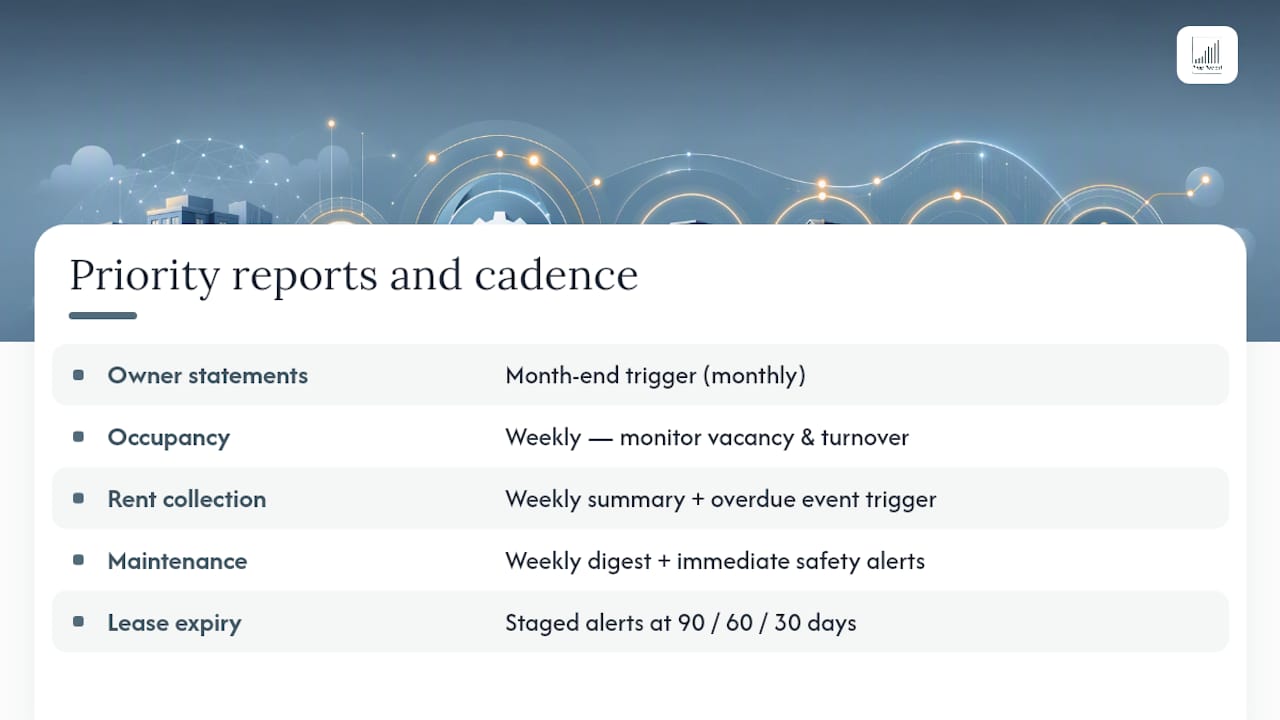
Owner statements carry the most financial weight and the most scrutiny, making them the natural first candidate for automation, tied to the month-end trigger described earlier. Occupancy reports track vacancy rates and turnover velocity, and work best on a weekly cadence so managers can react to a slow-filling unit before it becomes a quarter of lost revenue.
Rent collection reports flag late or missing payments and pair naturally with an event trigger for anything overdue by more than a set number of days, layered on top of a weekly summary. Maintenance reports cover open work orders, average resolution time and outstanding invoices from contractors, and these benefit from both a weekly digest and an immediate alert for anything safety-related.
Lease expiry reports deserve their own staged schedule rather than a single monthly mention: alerts at 90, 60 and 30 days give both the property manager and the owner enough runway to plan renewals, rent reviews or re-letting. Treating lease expiries as a single line in a monthly summary is one of the more common mistakes, since by the time it appears there, the useful planning window has often already shrunk.
Does automated reporting actually improve compliance and audit readiness?
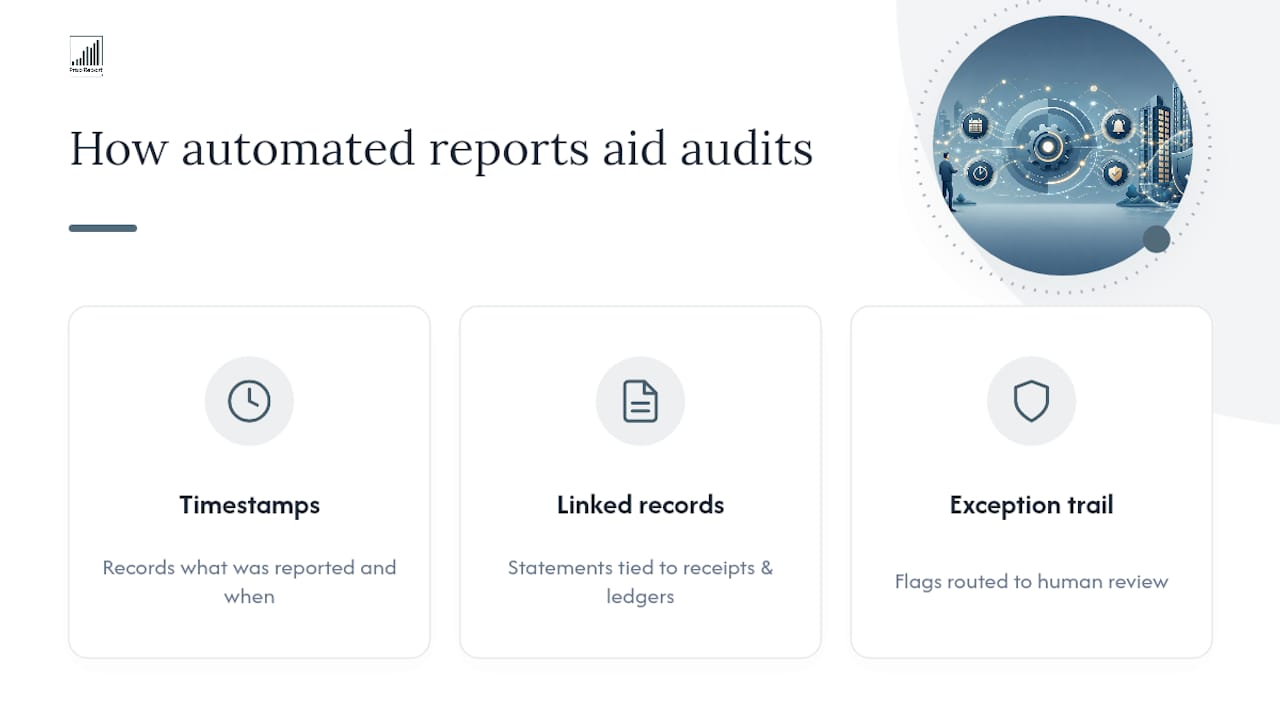
Consistent, timestamped reporting is one of the more underrated benefits of automation, because compliance rarely fails at the big, obvious moments. It fails in the gaps between them: a missed statement, an undocumented late fee, a maintenance record nobody archived. Scheduled reports close those gaps by producing a reliable paper trail every cycle, whether anyone asks for it or not.
Automated reporting supports audit readiness in three concrete ways. First, every scheduled run creates a timestamped record showing exactly what was reported and when. Second, retained statements linked back to original receipts and ledger entries mean a dispute or audit request can be answered with a document trail rather than a scramble through email archives. Third, the exception workflow itself becomes evidence: showing a regulator or auditor that flagged items were routed for human review rather than sent blind demonstrates active data governance, not just good luck.
None of this replaces proper accounting practice or legal advice on specific compliance obligations, which vary by jurisdiction and property type. What it does is make whatever obligations already apply far easier to demonstrate, because the records exist automatically rather than depending on someone remembering to save an attachment.
How do you customise reports for different stakeholders?
A single report format rarely satisfies everyone who needs one, and treating owners, portfolio managers and maintenance teams identically usually means all three end up half-served. Owners want the headline numbers: net income, occupancy, anything that changed materially since last month. Portfolio managers want the operational detail underneath that headline: which units drove the change, which contractors are overdue on invoices, where arrears are concentrated.
Building customisation around roles rather than individuals keeps this manageable at scale. Define two or three stakeholder templates, then let people opt into detail level rather than building a bespoke report per recipient. Platforms that support report bursting, generating a personalised variant of the same underlying report for each recipient, handle this well at portfolio scale; Qlik's application automation documentation describes exactly this pattern, looping a single report definition across recipients so each owner sees only their own properties.
The practical rule worth keeping: default to the simplest version for owners, and make additional detail available on request or via portal drill-down rather than pushing it into every scheduled send.
Author perspective: what actually moves the needle
Teams that automate the full owner-statement pipeline, not just the email send, report meaningfully fewer statement corrections and reclaim hours that used to disappear into manual reconciliation, according to industry benchmarking on owner statement automation. The mistake I see repeatedly: teams automate the delivery and call it done, while the underlying ledger data still needs manual fixing every month. That's not automation, it's a faster way to send the same errors. Run a 30-day pilot on owner statements alone before touching anything else. It surfaces every upstream data problem you'll need to fix regardless.
— James
Try Prop Report for scheduled owner and operational reporting
Propreport is the alternative to piecing together spreadsheets, email reminders and a separate accounting export for scheduled reports property management teams rely on every month. It connects directly to your existing CRM and finance systems, applies month-end triggers automatically, and delivers statements through an owner portal built for exactly this workflow, backed by ISO 27001-certified data security.
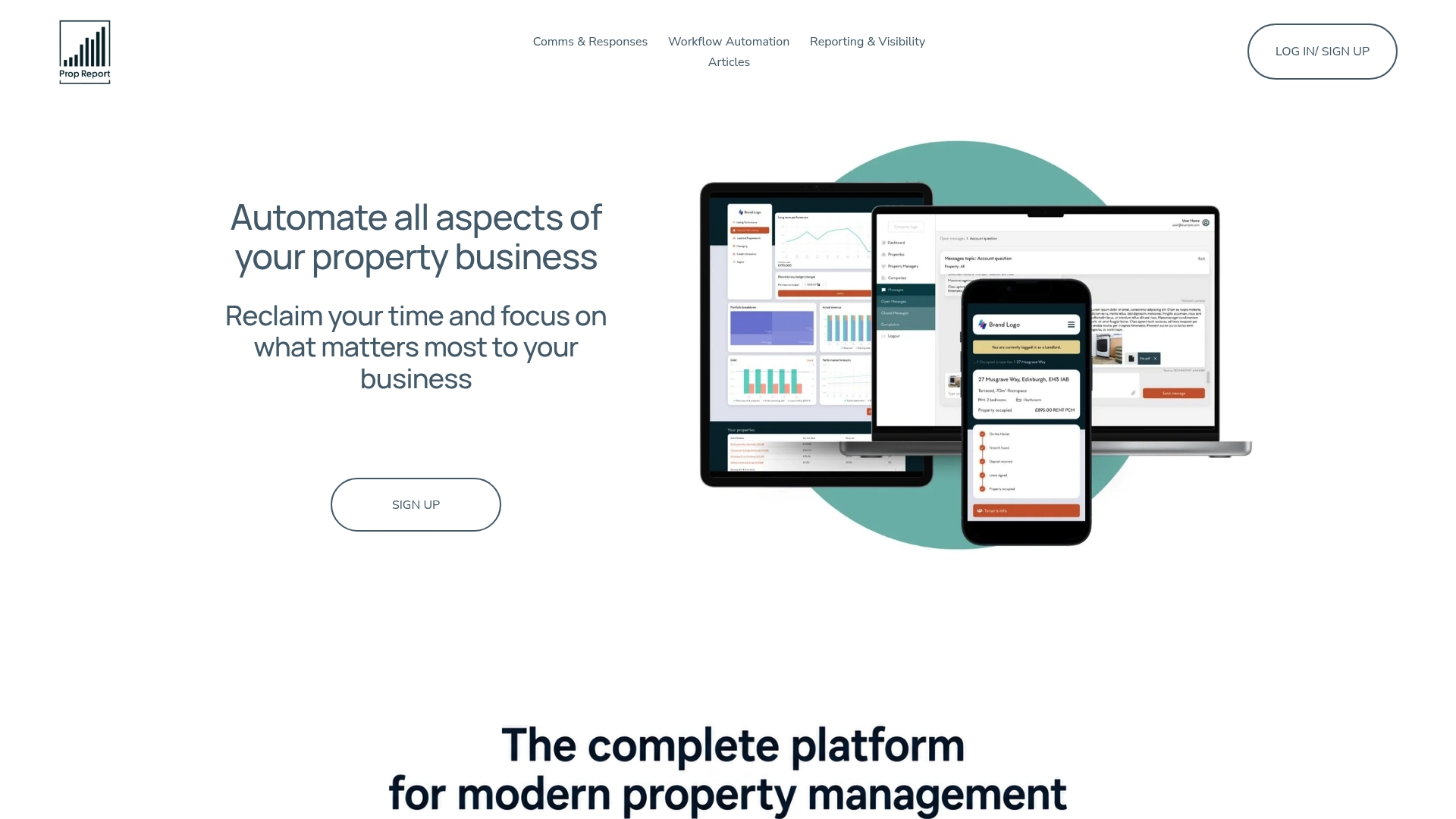
Rather than replacing the systems you already use, Propreport sits across them, pulling ledger, maintenance and tenancy data into one automated pipeline with unlimited users and no seat-based pricing. If you manage a portfolio where owner statements currently eat a week of every month, start with the Individual plan at £10 per month and run a 30-day pilot on owner statements before rolling automation out further.
Key docs and vendor pages worth bookmarking
Google's Data Studio scheduling docs explain recipient and frequency limits. Qlik's reporting automation guide covers burst, per-recipient reports. Buildium's owner statement walkthrough gives a practical five-step setup sequence. For broader operational and communication workflow context, specialist real estate marketing guidance is also worth a look.
Sources
- Schedule automatic report delivery | Data Studio | Google Cloud Documentation
- Reports with application automations | Qlik Help
FAQ
What is a scheduled report?
A scheduled report is a report configured to generate and deliver automatically at a fixed time or in response to a specific event, rather than being created manually each time. In property management, this typically means owner statements, occupancy summaries or maintenance updates that run and send themselves once the rules are set.
What are examples of management reports?
Common examples include owner statements, occupancy and vacancy reports, rent collection and arrears summaries, maintenance and work order reports, and lease expiry alerts. Each suits a different cadence: monthly for statements, weekly for operational summaries, and event-triggered for anything urgent.
What is a property schedule?
In property management, a "schedule" usually refers to either the recurring timetable a report runs on (weekly, monthly, month-end triggered) or a formal list of properties and their key details, such as a schedule of condition or a rent schedule. Context determines which meaning applies.
What is the hardest part of property management?
Reconciling data across disconnected systems, ledgers, maintenance platforms and tenancy records, tends to be the hardest recurring task, since it directly determines whether scheduled reports are accurate. Platforms like Prop Report address this by integrating those sources directly rather than relying on manual exports.