

Yes, you can connect WhatsApp to your CRM, and you have three routes to do it: a native connector, a managed middleware platform, or a custom webhook built on the WhatsApp Business API. Pick the native connector if your CRM already offers one and your needs are standard. Pick middleware if you want a shared inbox and faster automation without engineering resource. Pick a webhook if you run a bespoke CRM or need control over exactly what gets synced.
Three things to do this week:
- Provision or transfer a WhatsApp Business API number and verify your business profile.
- Choose your integration path based on team size and technical capacity.
- Draft a field-mapping plan before you touch any settings.
WhatsApp now sits alongside email and phone as a default customer channel for millions of businesses worldwide, which is why CRM vendors have raced to build native support rather than leaving it to bolt-on apps.
Key Takeaways
A working WhatsApp CRM integration depends on the WhatsApp Business API, consistent E.164 phone normalisation, and a pilot test before full rollout.
| Point | Details |
|---|---|
| Choose your path deliberately | Native connectors suit standard workflows; middleware suits shared inboxes; webhooks suit bespoke CRMs. |
| Normalise phone numbers first | E.164 formatting prevents the most common cause of duplicate contacts and silent sync failures. |
| Template messages need lead time | Submit WhatsApp templates for Meta approval before your go-live date, not the day before. |
| Security certification matters | Vendors with ISO/IEC 27001 reduce compliance friction when handling conversational data. |
| Propreport centralises property communication | Its ISO 27001-certified communications hub connects WhatsApp, tenant requests, and owner reports in one platform. |
Where to check the technical detail
For the exact webhook payload structures and template approval rules, consult Meta's business messaging compliance documentation directly, alongside a working setup guide covering field mapping examples in detail.
Table of Contents
- How does WhatsApp CRM integration actually work?
- What are the setup steps to connect WhatsApp to a CRM?
- How do you map fields and avoid duplicate contacts?
- What automations can you build once WhatsApp is connected?
- What security and compliance checks matter most?
- Which integration path fits your business?
- How do you test and launch a WhatsApp CRM integration safely?
- How does Propreport support WhatsApp workflows for property teams?
- See how Propreport handles this for your properties
- Sources
How does WhatsApp CRM integration actually work?
All three paths rely on the same foundation: the WhatsApp Business API, not the consumer WhatsApp Business App, which lacks the webhook and automation capability CRM syncs need.
Native connectors are built directly into the CRM by the vendor. HubSpot's WhatsApp integration, for example, creates or updates contacts automatically from incoming messages and logs the full conversation history on the contact timeline, so a sales rep sees the WhatsApp thread sitting next to email and call notes. Setup is quick, support comes from one vendor, but customisation is limited to whatever the connector exposes.
Middleware platforms sit between WhatsApp and your CRM. They typically add a shared inbox, routing rules, and pre-built automation templates that most CRMs don't offer out of the box. This extra layer costs a monthly fee, but it often reduces time-to-value because your team isn't building routing logic from scratch.

Webhook and API routes give you full control. You wire the WhatsApp Business API directly to your CRM using tools like Zapier or Make, or custom code, deciding exactly which fields sync and when. This suits teams with engineering capacity or unusual data requirements, but every new automation is a build task, not a toggle.
A few rules of thumb:
- Small sales or support teams with a mainstream CRM: try the native connector first.
- Multi-team operations juggling several inboxes: middleware usually wins on speed and shared visibility.
- Bespoke or legacy CRM systems: a webhook is often the only option that fits.
None of the three routes automatically syncs media attachments or group chat metadata; check that explicitly before you commit.
What are the setup steps to connect WhatsApp to a CRM?
Whichever path you choose, the sequence of tasks looks broadly the same.
- Provision the number. Register or migrate your business number onto the WhatsApp Business API and complete Meta's business verification.
- Gather credentials. Collect CRM admin access (usually OAuth), any middleware API tokens, and your webhook endpoint URLs.
- Enable the connector or build the webhook. Turn on the native integration, install the middleware app, or deploy your webhook listener.
- Set the sync direction. Decide whether contacts flow one way (CRM to WhatsApp) or both ways, and confirm how often the sync runs.
- Define the contact match key. Phone number is the standard key; set this before mapping anything else.
- Map remaining fields. Match name, tags, deal stage, and custom properties between systems.
- Register template messages. Submit any outbound templates (appointment reminders, order updates) for Meta approval, which can take a day or more.
- Run a pilot. Route a small group of real conversations through the new setup before switching everyone over.
Pro Tip: Submit your template messages for approval on day one of setup, not the day before launch. Meta's review queue is unpredictable, and a rejected template with no fallback plan will delay your go-live by days.
Build your test plan alongside the pilot group rather than after it. Write down five real scenarios, a new lead messaging in, an existing contact replying to a reminder, an attachment being sent, and confirm each one behaves as expected before you open the gates.
How do you map fields and avoid duplicate contacts?
Most WhatsApp CRM failures aren't dramatic outages, they're quiet mismatches that leave contacts duplicated or messages orphaned.
- Normalise every phone number to E.164 format (
+447911123456, not07911 123456or+44 7911 123456). This is the single most common cause of silent sync failures, because WhatsApp matches contacts by phone number, and inconsistent formatting means the same person appears as two separate records. - Match field types carefully. A CRM enum field (like "Deal Stage") won't accept free text from WhatsApp without a translation layer, and numeric fields will reject anything with a stray character.
- Set clear deduplication rules. Decide upfront: does a new inbound message from an unknown number create a fresh contact, or does the system check for a phone match first and update the existing record? Most implementations should default to "match by phone, then update", with manual review for anything ambiguous.
- Decide on merge policy. If two records do collide, which one wins, the CRM record or the WhatsApp-sourced one? Write this down before it happens in production, not after a manager complains about lost notes.
- Choose what to store from transcripts. Storing the full conversation as a timestamped note on the contact record keeps timeline visibility intact and makes conversations searchable later, a pattern used in several working implementations.
Pro Tip: Run a dedupe test with several real phone numbers formatted differently before you go live. If any of them create duplicate contacts, your normalisation rule isn't working yet, and it's cheaper to catch that now than to clean up two thousand duplicate records in six months.
What automations can you build once WhatsApp is connected?
This is where the integration starts paying for itself. Once WhatsApp and your CRM talk to each other, you can wire up triggers that used to require a human watching an inbox.
- Lead capture to welcome message. A new WhatsApp enquiry creates a CRM record, assigns an owner, and fires an automated welcome message within seconds.
- Deal stage change to WhatsApp update. Moving a deal to "Contract Sent" in the CRM triggers an automatic WhatsApp notification to the customer.
- Support ticket creation with SLA reminders. An inbound message opens a ticket, and if it goes unanswered past your SLA window, someone gets pinged.
- Tenant maintenance intake. A tenant messages "leaking tap" on WhatsApp, the CRM logs a maintenance ticket, and the assigned contractor gets notified automatically.
- Rent reminders. Scheduled WhatsApp messages go out a few days before rent is due, logged against the tenant's record.
- Owner monthly reports. A summary of property performance is pushed to the landlord's WhatsApp on a fixed schedule, pulled straight from CRM data.
This pattern mirrors what CRM vendors like Pipedrive report seeing in sales pipelines: faster response times and automation that keeps deals moving without manual chasing.
One constraint shapes all of this: any message you send that isn't a reply within WhatsApp's 24-hour customer service window must use a pre-approved template. Design templates for your highest-frequency automations first, reminders and confirmations, since those are the ones Meta reviews most predictably.
What security and compliance checks matter most?
Passing customer conversations through a third-party platform raises real questions, and you should ask vendors about all of them before signing anything.
- Certifications. Ask whether the vendor holds ISO/IEC 27001 certification and uses TLS encryption for data in transit, both of which Meta references as appropriate standards for handling conversational data.
- Data residency and retention. Confirm where messages are stored, how long they're kept, and whether you can delete them on request.
- Lawful basis under GDPR. You need consent or a contractual basis to message someone on WhatsApp, and a clear process for handling data subject access requests.
- Messaging window discipline. Build your flows to respect the 24-hour window and template rules rather than treating them as an afterthought.
As integration projects mature, security and compliance have become first-order procurement questions, not afterthoughts bolted on at the end.
Which integration path fits your business?
Match your situation against this checklist before you commit engineering time.
- Small team, mainstream CRM, low customisation needs: native connector.
- Multiple teams sharing one inbox, need routing and templates fast: middleware.
- Bespoke CRM, unusual data flows, in-house engineering: webhook/API.
- High message volume with tight budget: middleware often beats custom-building routing logic from scratch.
- Regulated data, strict compliance sign-off required: prioritise vendors with clear certification, regardless of path.
- If your CRM has a native WhatsApp connector and your workflow is standard, start there.
- If you need a shared inbox and templated automation without writing code, choose middleware.
- If neither fits, or your data model is unusual, build on the webhook/API route and budget engineering time accordingly.
How do you test and launch a WhatsApp CRM integration safely?
The first 72 hours after go-live are where problems surface, so watch closely and test deliberately before opening the gates fully.
- Run end-to-end flows for every scenario in your test plan: new lead, existing contact reply, attachment, template message.
- Test deduplication with real-world phone number formats to confirm your E.164 normalisation is holding.
- Confirm field mappings and attachments land in the correct CRM fields, not a generic notes box.
- Validate template approvals are live and rendering correctly, not stuck in Meta's review queue.
- Monitor delivery statuses, webhook failures and error rates continuously for the first three days.
- Define a rollback step and a named vendor contact before launch, not after something breaks.
How does Propreport support WhatsApp workflows for property teams?
Property management brings its own version of this problem: tenants messaging about repairs, landlords wanting updates, and sales leads going cold because nobody replied fast enough. Propreport's communications hub centralises WhatsApp alongside email and SMS, so a maintenance report submitted on WhatsApp becomes a tracked task, not a message that gets buried.
Property teams using this kind of setup typically run:
- Tenant maintenance intake, converting a WhatsApp message directly into a logged job.
- Automated owner reports, delivering monthly performance summaries straight to a landlord's phone.
- Sales lead follow-ups, so a new enquiry gets a response before a competitor calls back.
Managing several properties without a unified communication system can lead to significant efficiency losses annually., largely down to missed messages, duplicated admin, and slow follow-up.
Propreport's ISO 27001 certification backs the communications hub with the same security standard that Meta references for handling conversational data, which matters when tenant and landlord messages are involved.
What implementation pitfalls should you plan around?
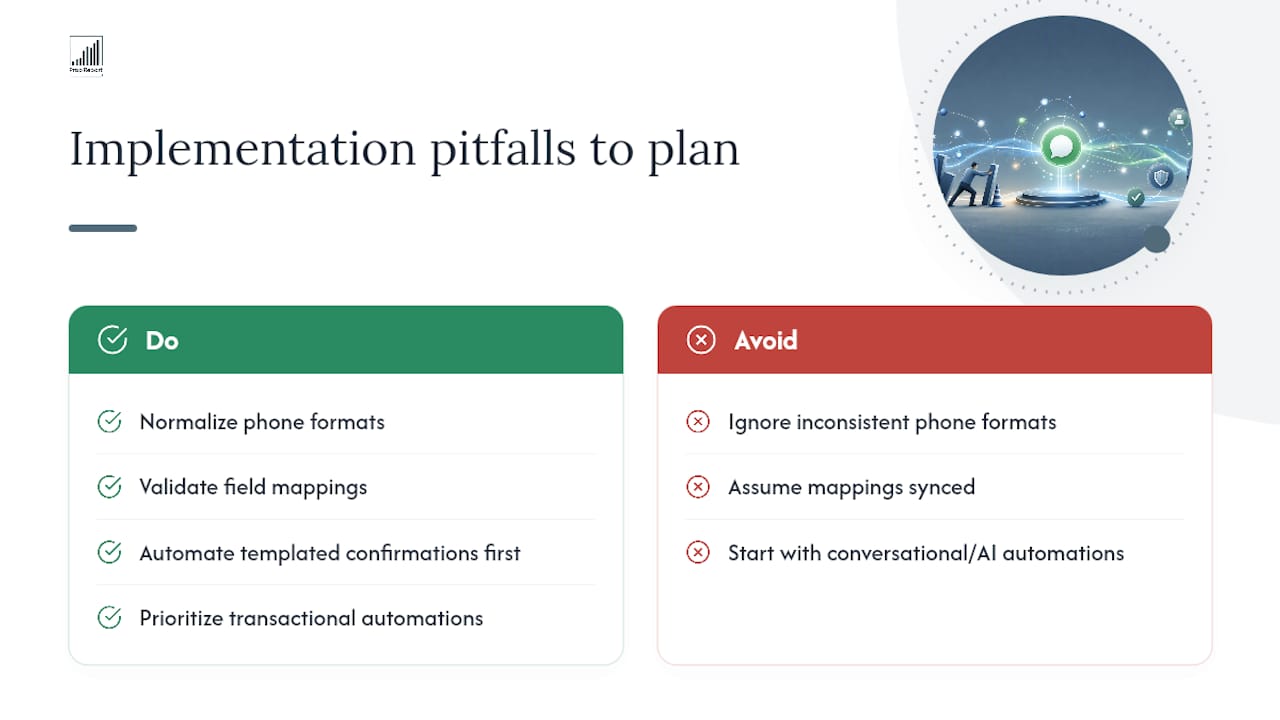
The two failures that recur most often have nothing to do with WhatsApp itself. Inconsistent phone formats quietly split one contact into two or three records, and nobody notices until a landlord complains they got the same reminder twice. Silent mapping failures are worse, a field that looks like it synced but actually dropped a value, because the CRM field type didn't match what WhatsApp sent.
Start small. Automate templated confirmations first, booking received, payment logged, ticket opened, because they're low-risk and immediately visible when they work. Transactional automations like rent reminders and appointment confirmations deliver the fastest visible return, long before you attempt anything conversational or AI-driven.
— James
See how Propreport handles this for your properties
Propreport gives property managers a working alternative to stitching together WhatsApp, email, and a spreadsheet CRM by hand. The communications hub brings WhatsApp conversations, tenant maintenance requests, and owner updates into one ISO 27001-certified platform, so nothing sits unread in a personal phone's inbox.
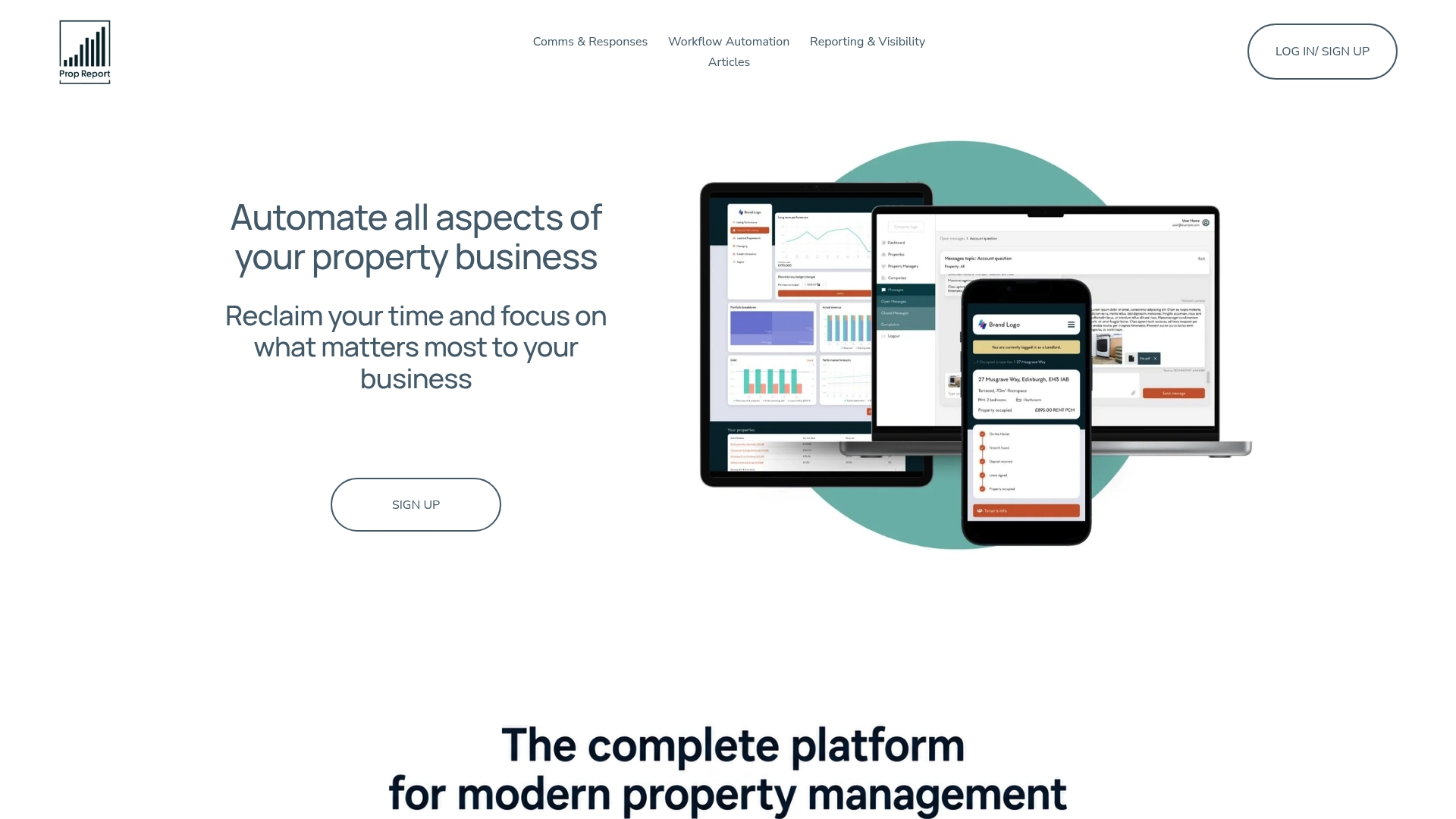
A demo typically covers your current CRM setup, your WhatsApp Business number, and a rough estimate of monthly message volume, so the Propreport team can show you exactly how contacts, templates, and automations would map onto your portfolio. If you manage multiple properties and want to see the Propreport AI platform handle WhatsApp alongside your existing workflow automation, book a demo and bring your number and CRM login details along.
Sources
- WhatsApp Business API Integration With Your CRM (Working Setup)
- How to Connect WhatsApp to Your CRM: Complete Integration Guide 2026 | WhatsTeam Blog | WhatsTeam
- Meta business messaging compliance note (ISO/IEC 27001 reference)